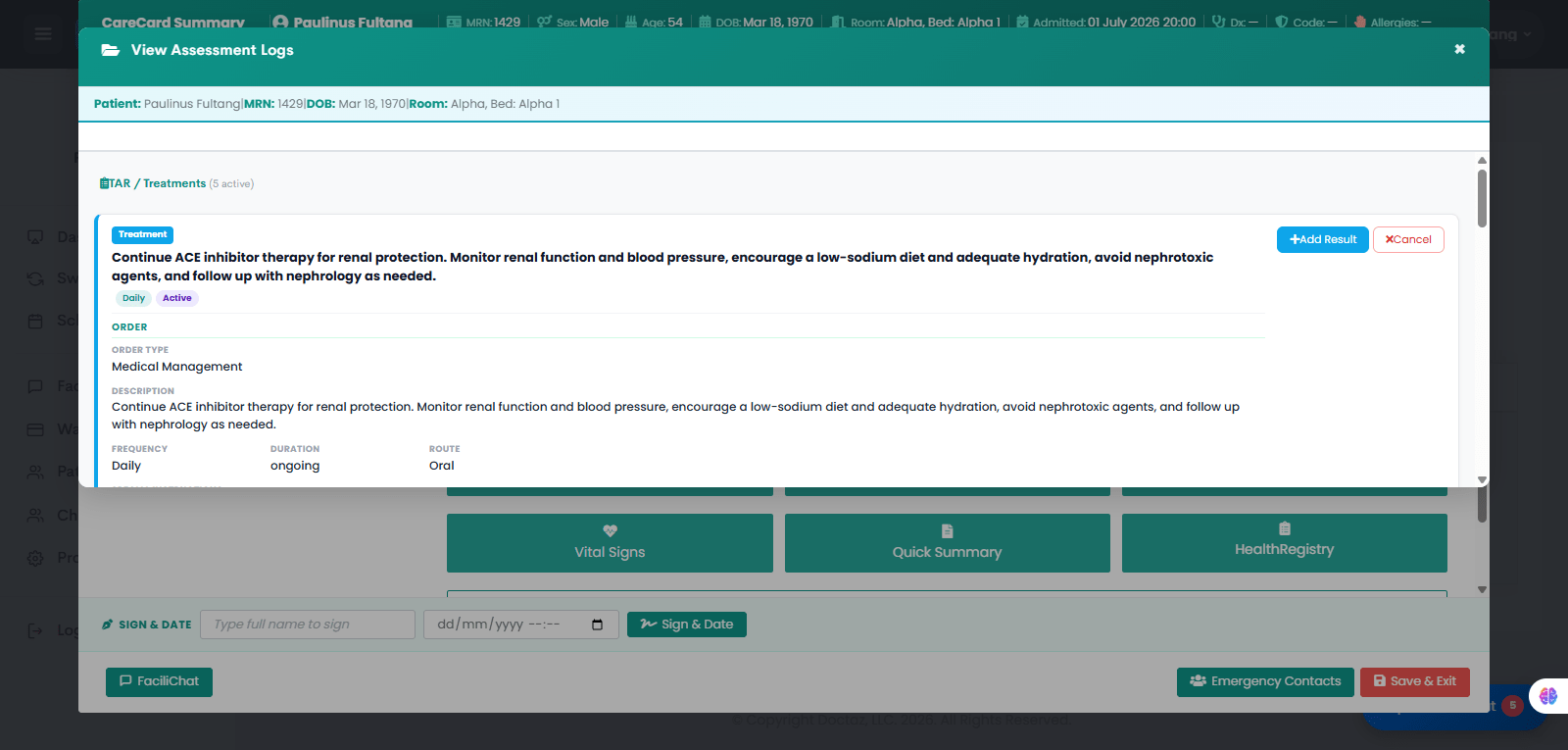
Treatment orders allow providers to prescribe non-medication care linked to a patient’s diagnosis. Once submitted, the order appears in the TAR for nurses to review, complete, and document patient response.
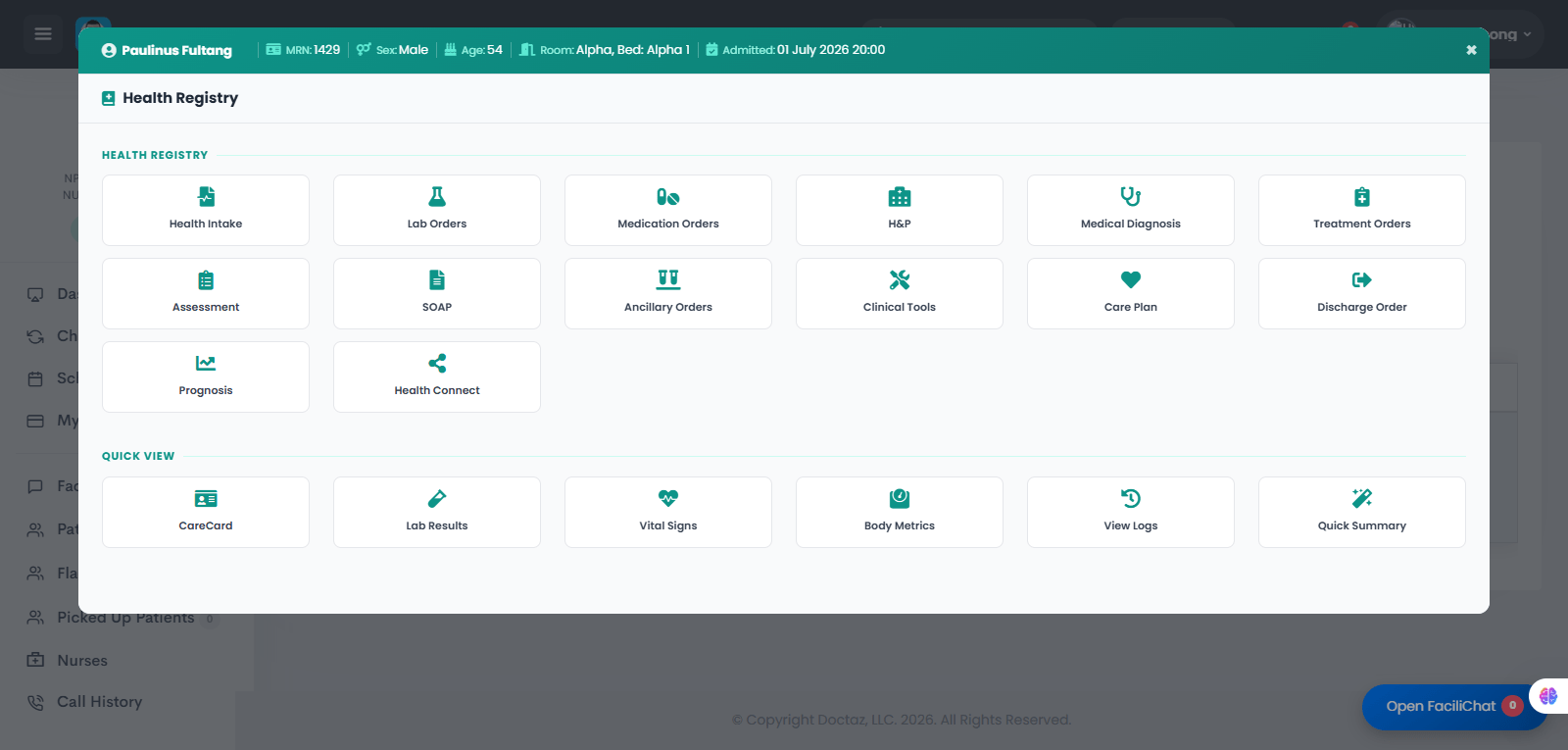
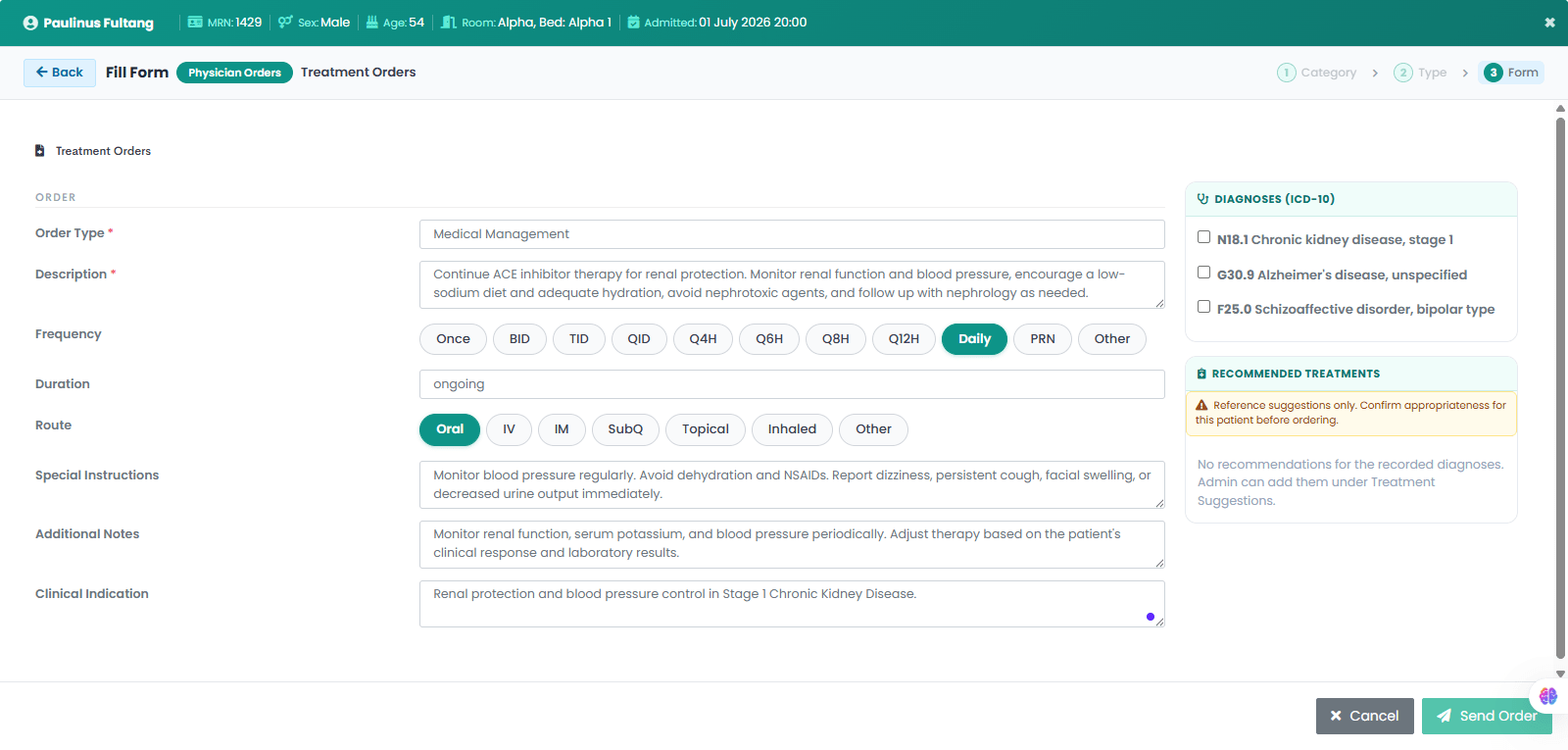
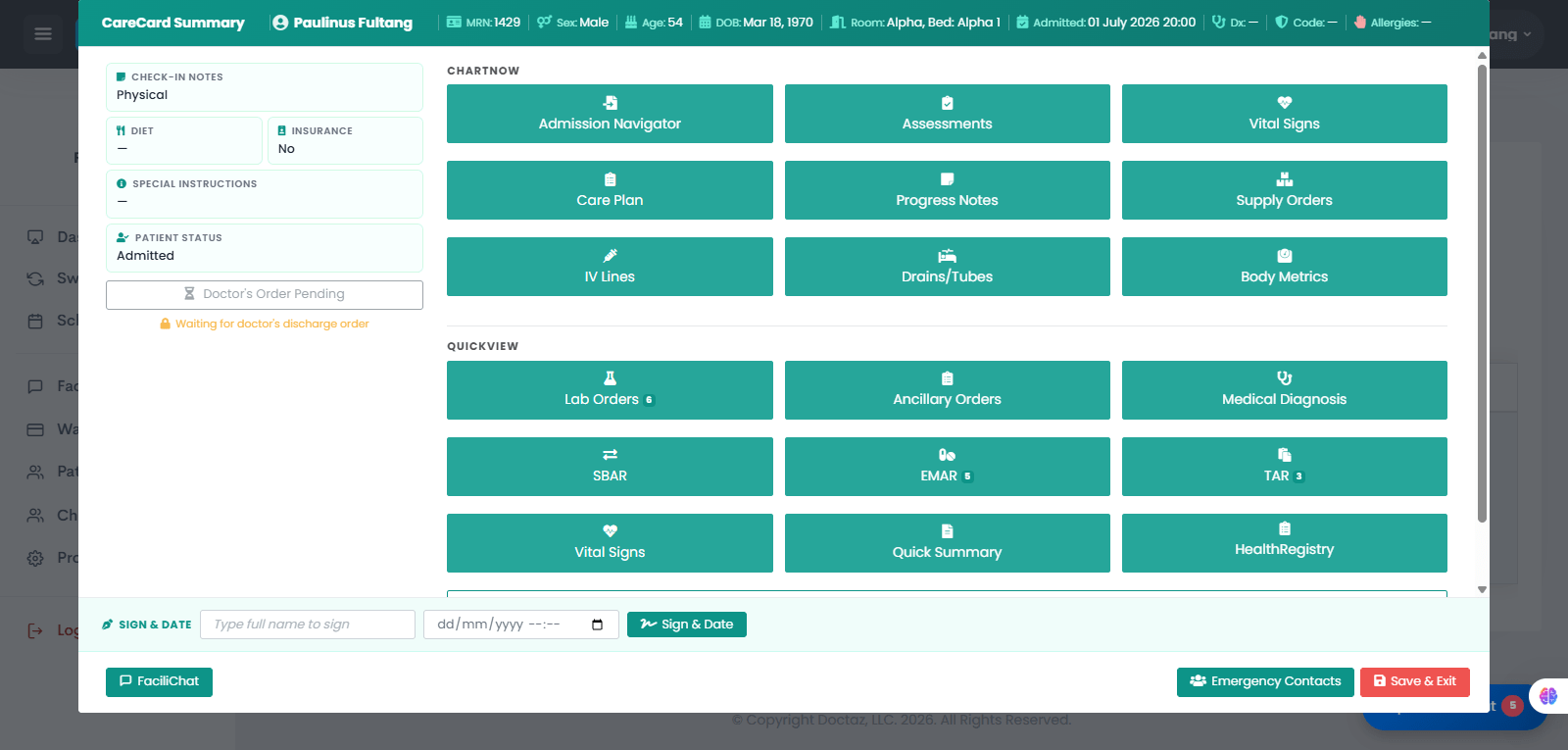
STEP 01 / 04Provider Opens the Patient’s Health RegistryThe provider opens the patient’s Health Registry and selects Treatment Orders.STEP 02 / 04Provider Creates the Treatment OrderThe provider enters the treatment type, description, frequency, duration, route, special instructions, additional notes, and clinical indication. The treatment is linked to the appropriate diagnosis, such as N18.1 Chronic Kidney Disease, Stage 1.STEP 03 / 04Nurse Opens the Patient’s CareCardThe nurse opens the patient’s CareCard Summary and selects TAR to review active treatment orders.STEP 04 / 04Nurse Reviews the Treatment Order in TARThe treatment order appears in the Treatment Administration Record (TAR) with the order type, description, frequency, duration, route, and instructions. The nurse can review the order and document results as needed.