Patients schedule appointments by selecting a provider, choosing an available date and time, and submitting a request. The provider reviews the request and approves, reschedules, or declines it. Once approved, the appointment is confirmed and added to both the patient's and provider's schedules.
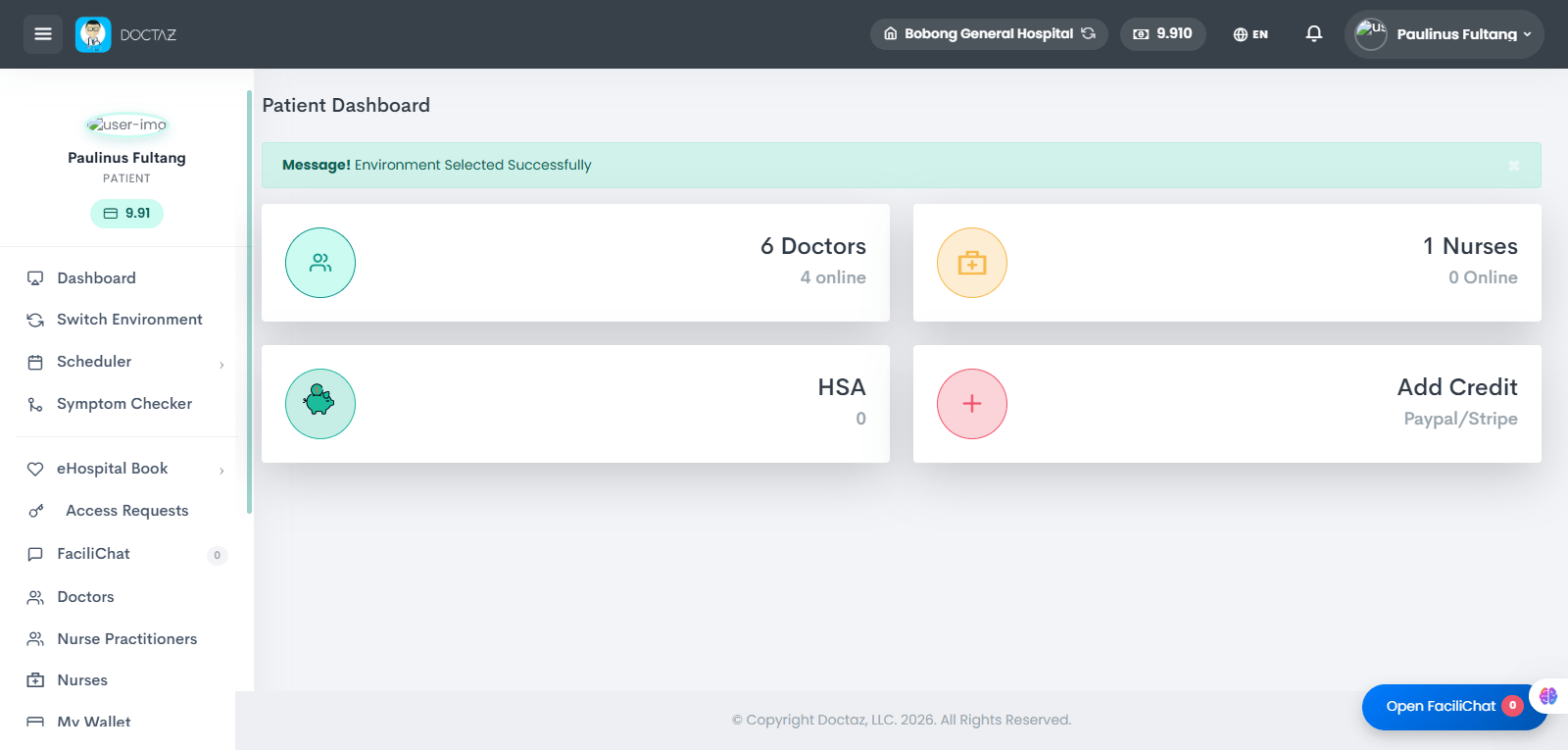
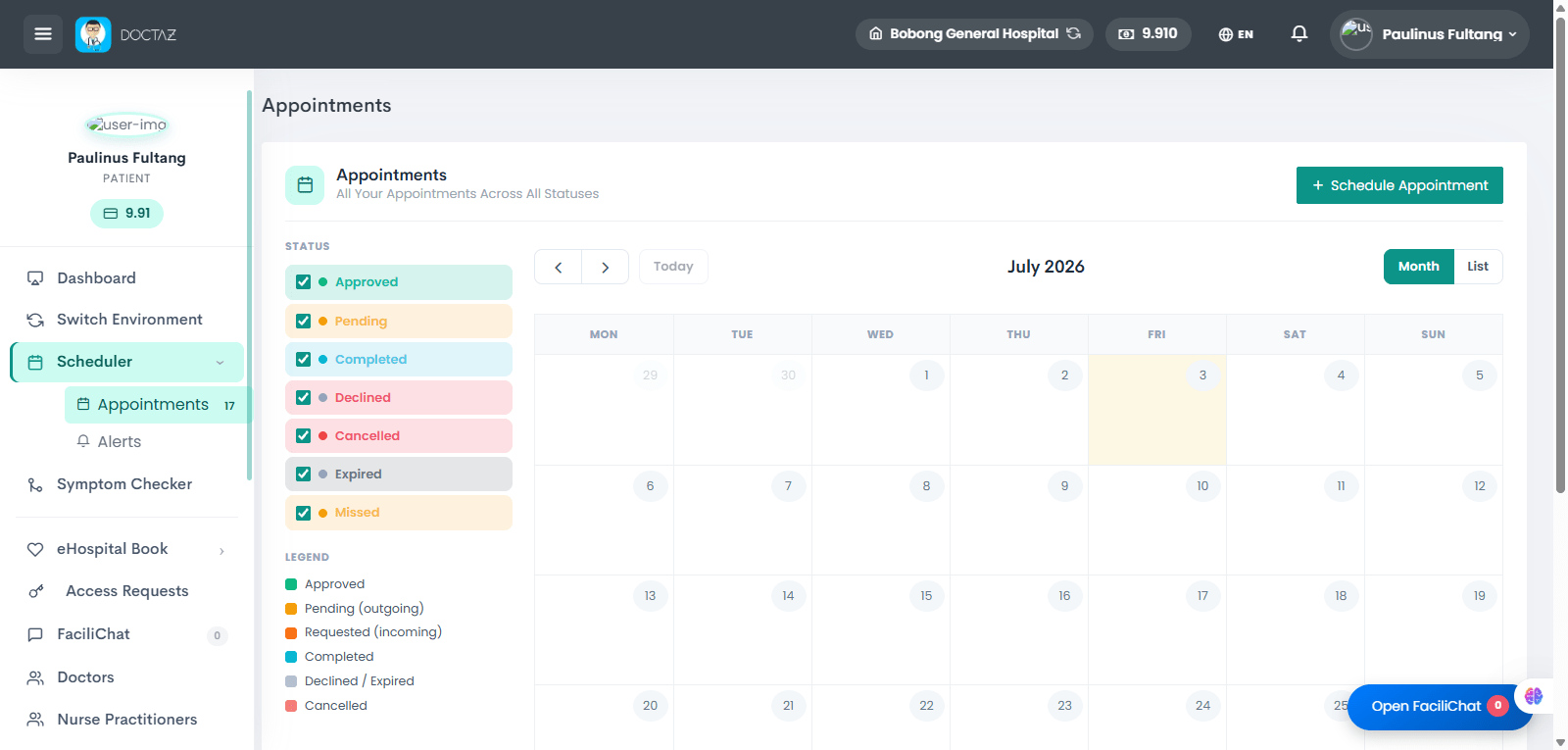
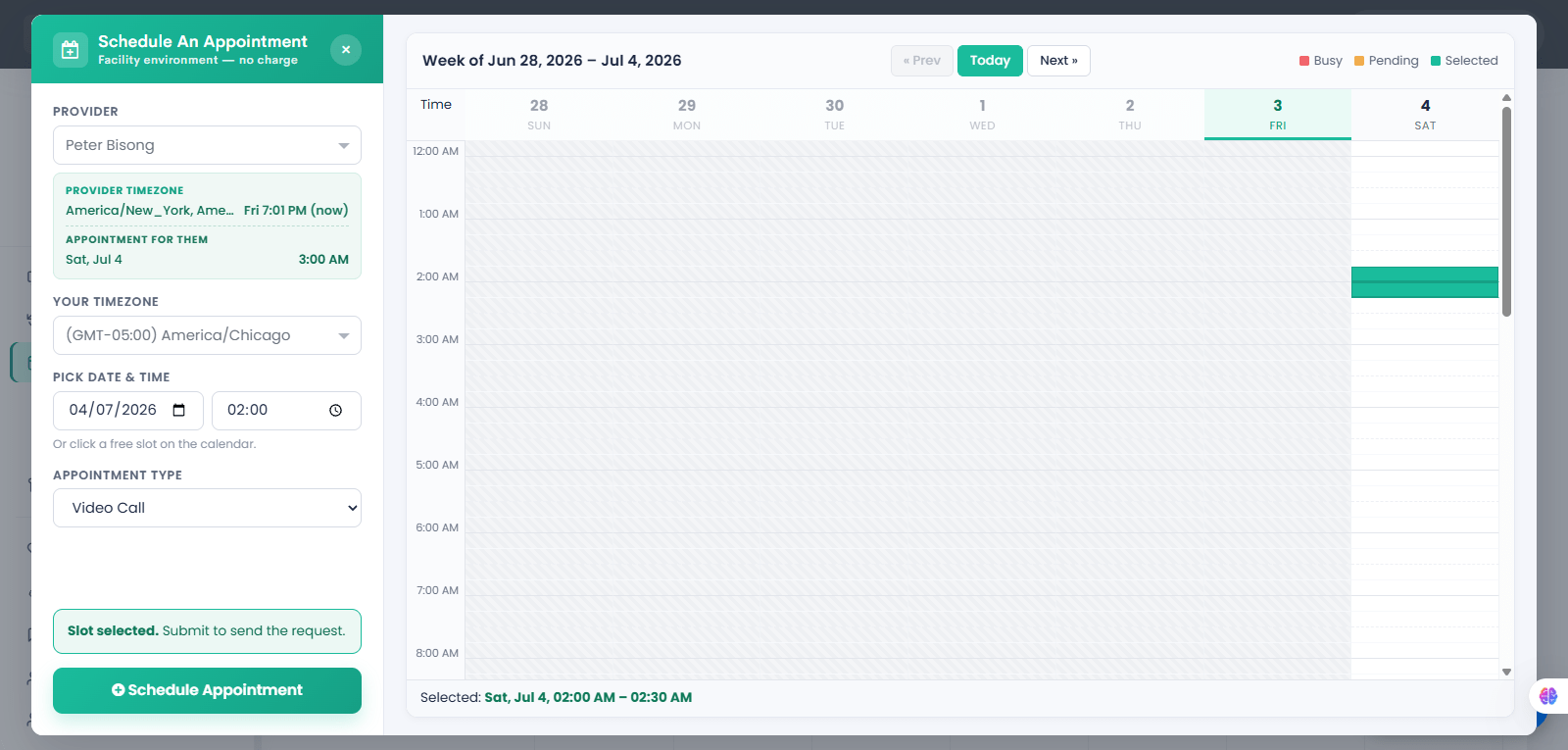
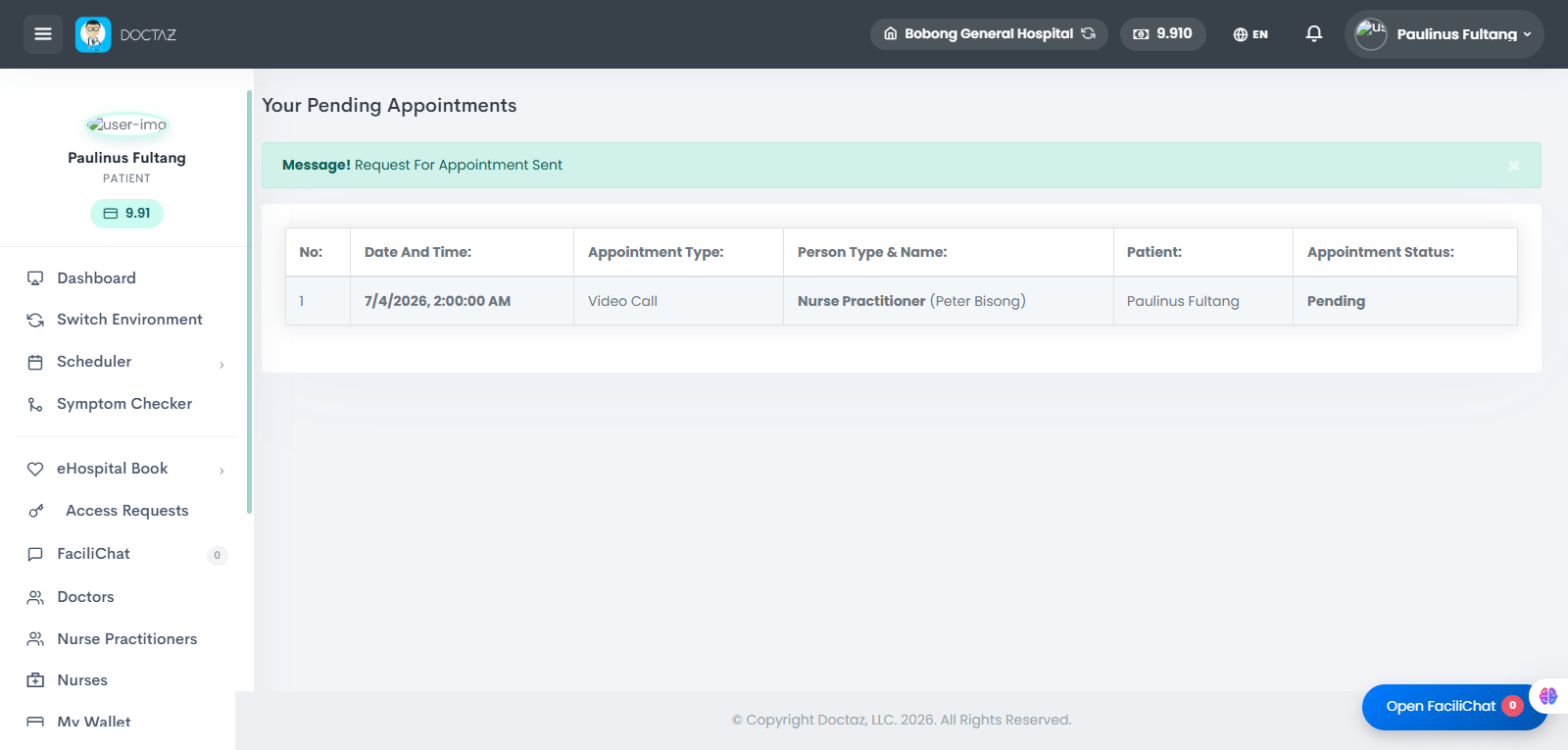
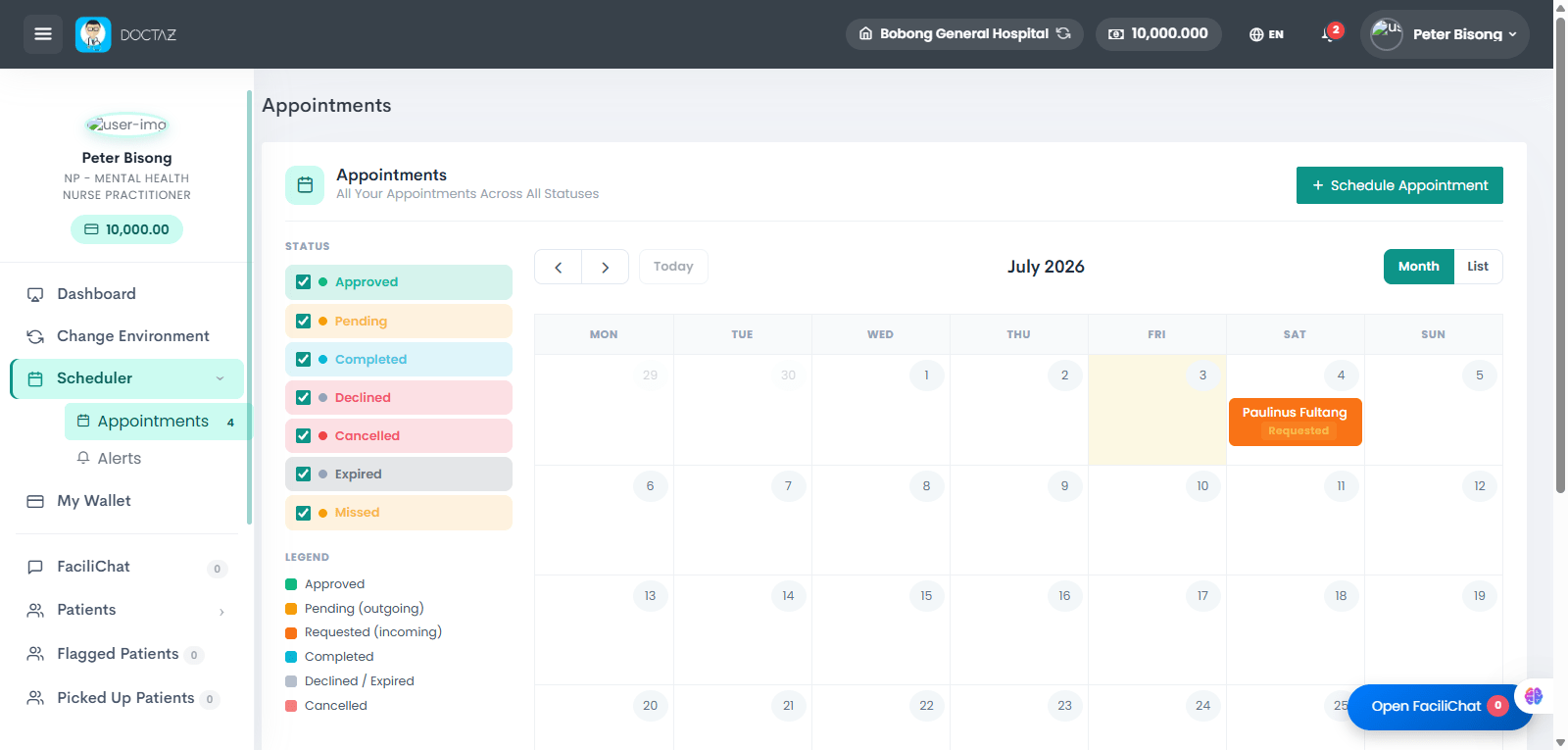
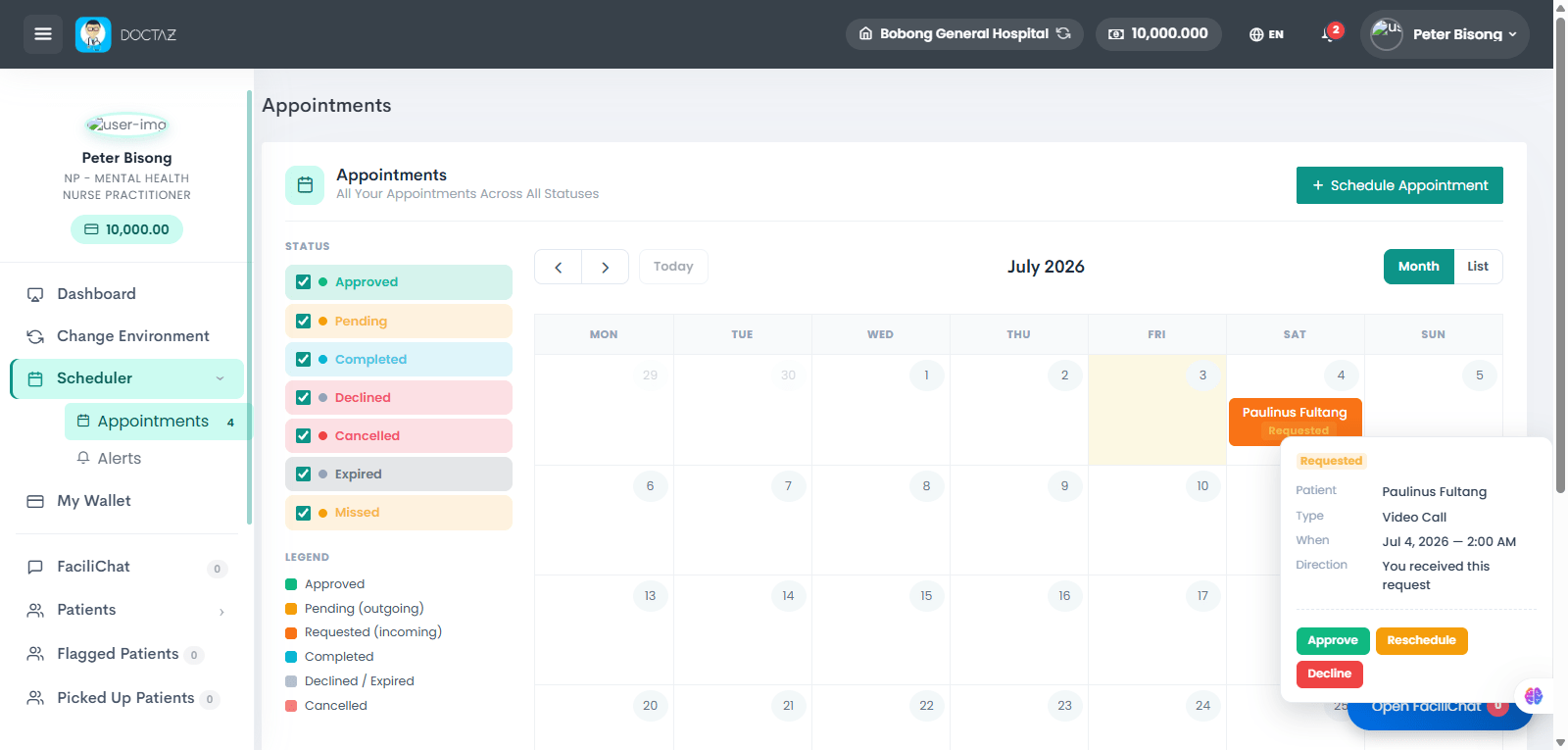
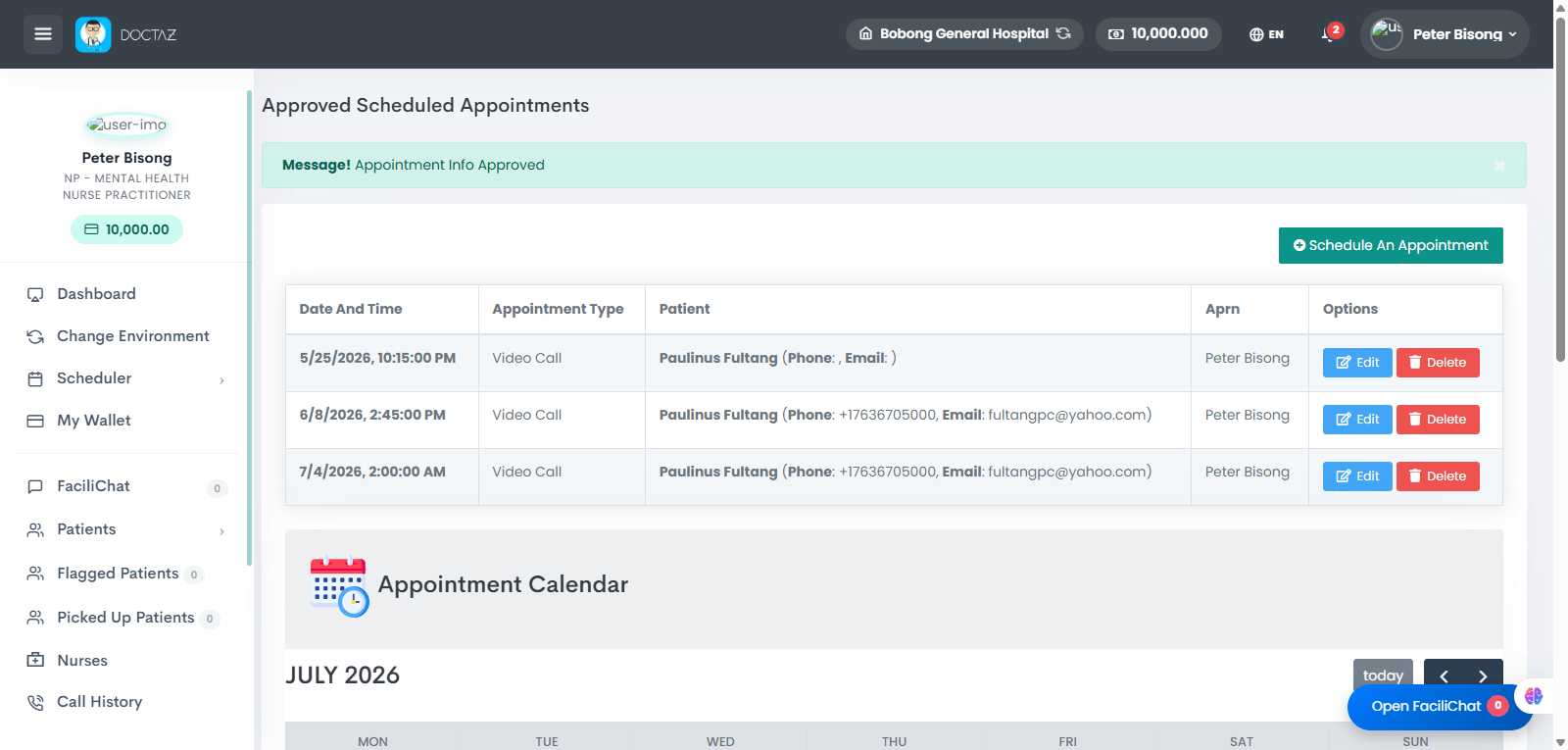
STEP 01 / 07Access the Appointment SchedulerThe patient logs into the dashboard and navigates to the Scheduler to manage appointments with healthcare providers.STEP 02 / 07View Appointments and Schedule a VisitThe patient opens the appointment calendar to review appointment statuses and clicks Schedule Appointment to request a new consultation.STEP 03 / 07Select Provider and Appointment DetailsThe patient selects a healthcare provider, chooses an available date and time, confirms the timezone, selects the appointment type, and submits the appointment request.STEP 04 / 07Appointment Request Pending ApprovalThe system confirms that the appointment request has been successfully submitted and is awaiting review by the selected healthcare provider.STEP 05 / 07Review Incoming Appointment RequestThe healthcare provider views the incoming appointment request and reviews the patient's appointment details before making a scheduling decision.STEP 06 / 07Approve, Reschedule, or Decline RequestThe provider reviews the request and approves the appointment. Alternatively, the provider may reschedule or decline the request if necessary.STEP 07 / 07Appointment Successfully ScheduledOnce approved, the appointment is added to the provider's schedule and becomes a confirmed appointment for both the patient and the healthcare provider.