Lab orders allow providers to request diagnostic tests and make them available in the patient’s CareCard for nursing review, follow-up, and result documentation.
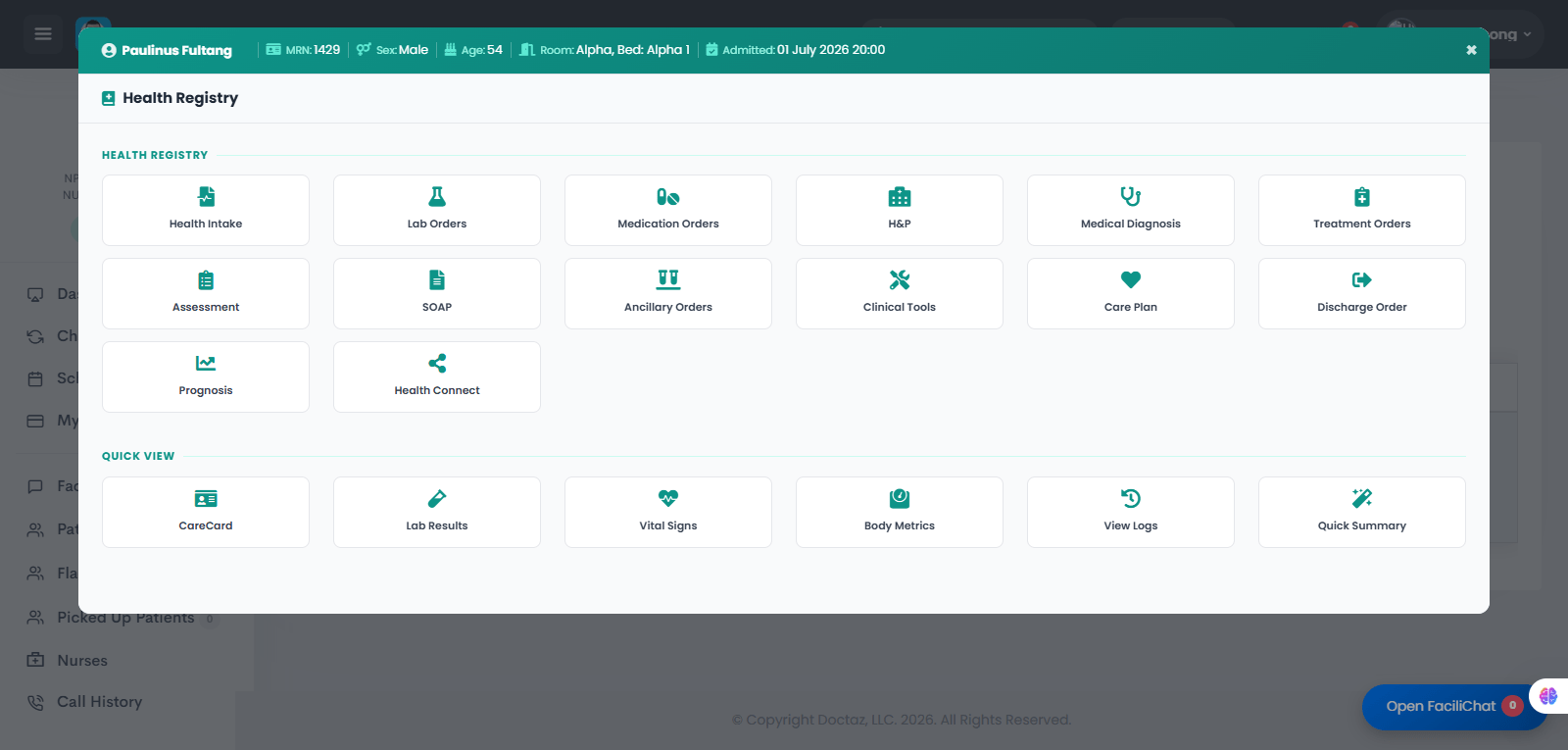
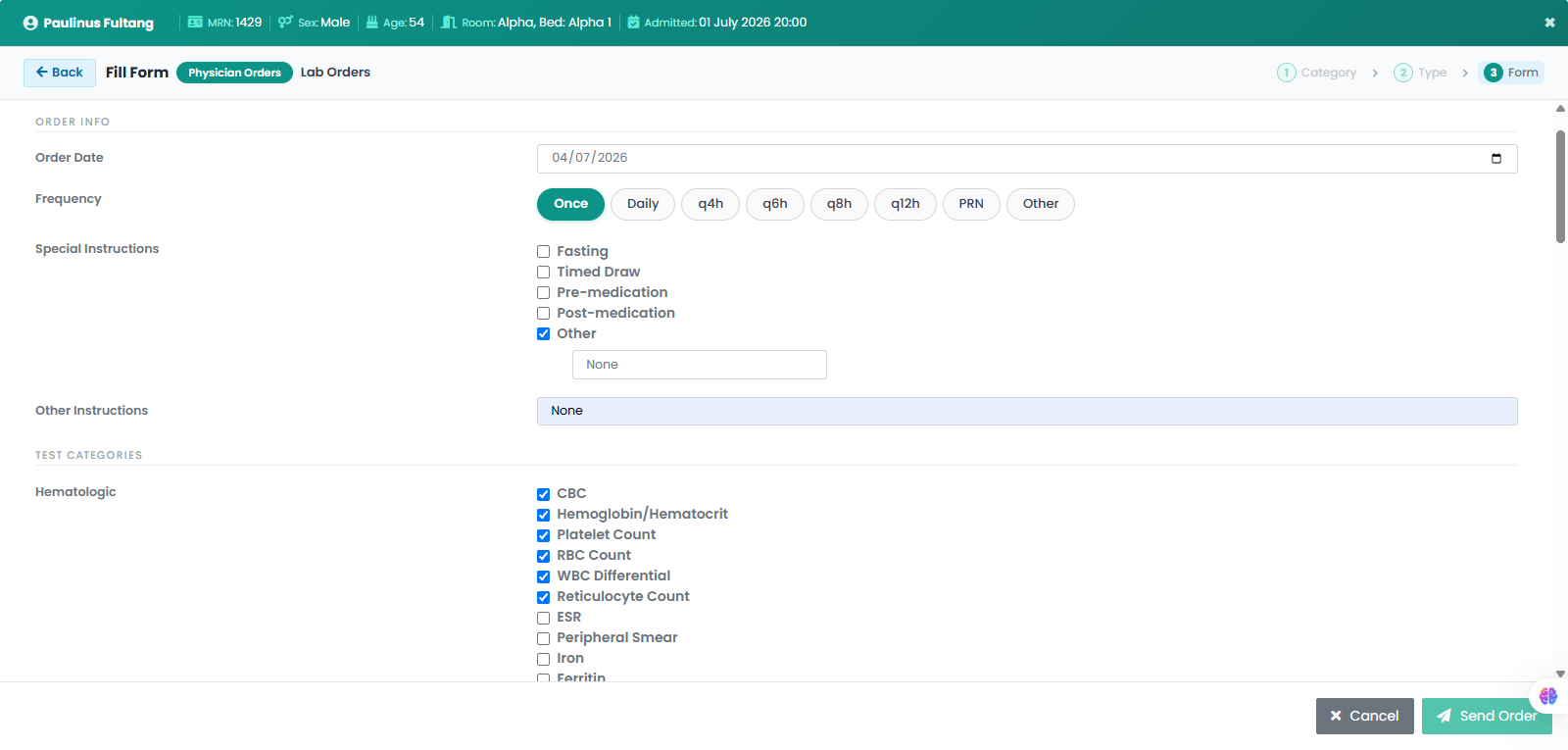
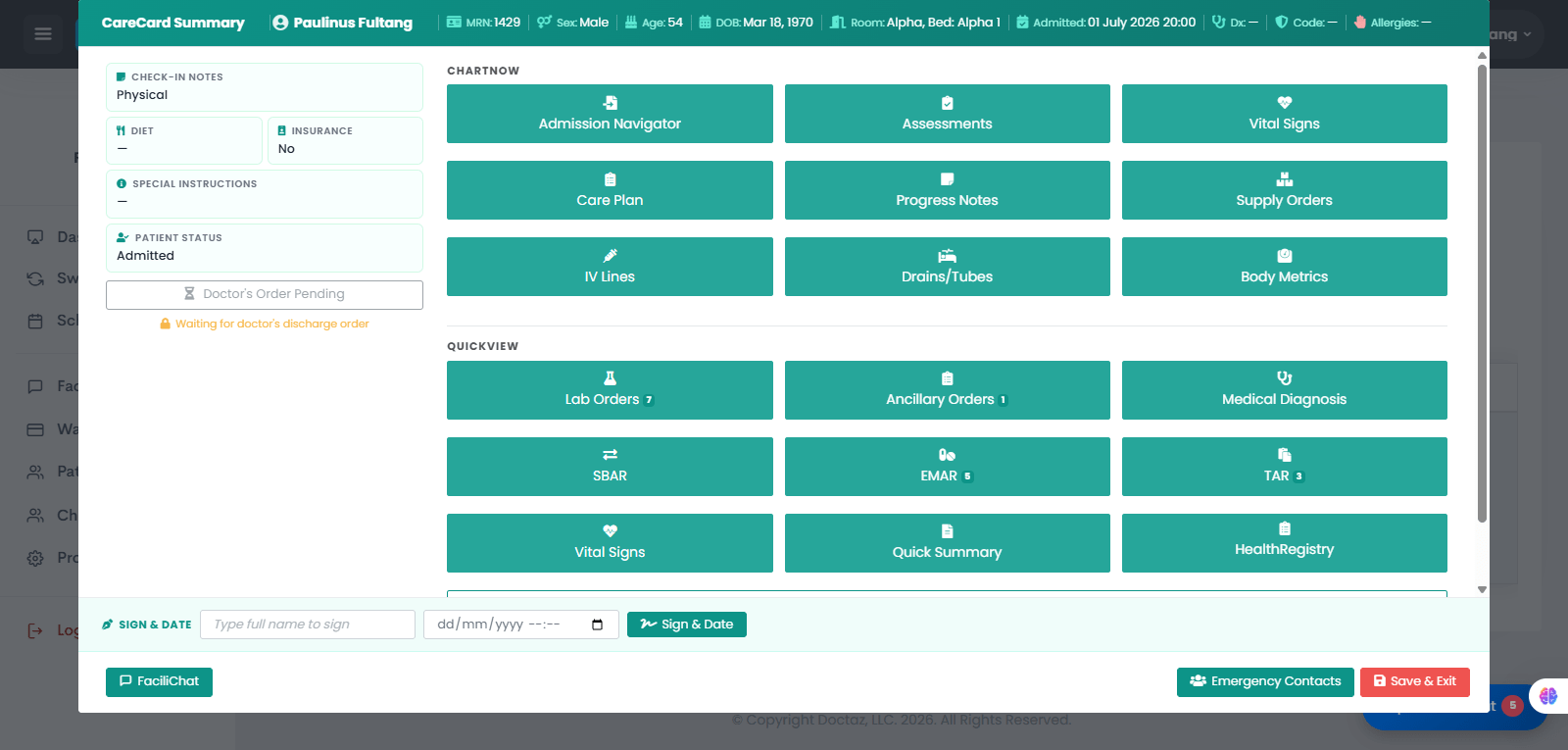
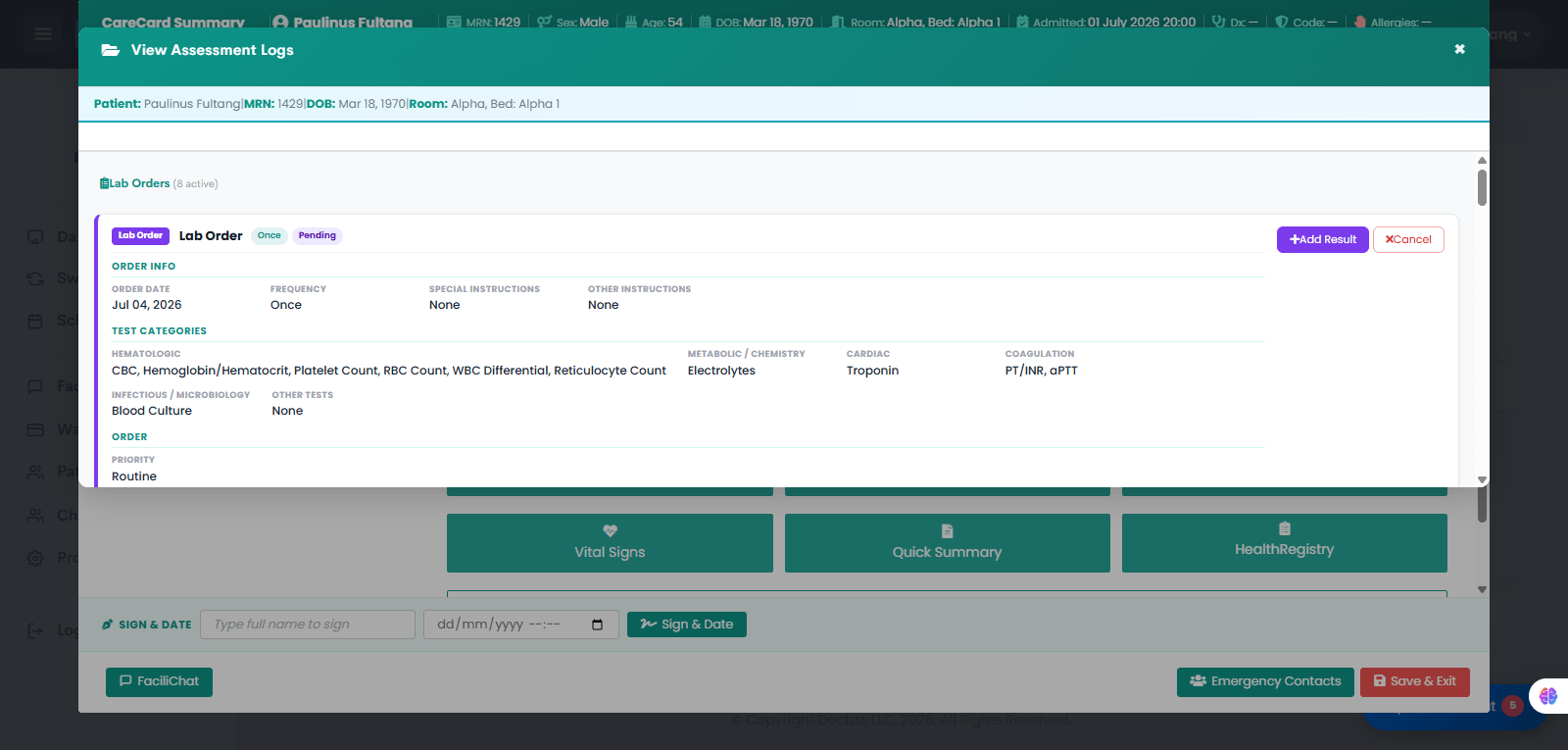
STEP 01 / 04Provider Opens the Patient’s Health RegistryThe provider opens the patient’s Health Registry and selects Lab Orders.STEP 02 / 04Provider Creates the Lab OrderThe provider enters the order date, frequency, special instructions, and selects the required lab tests, such as CBC, hemoglobin/hematocrit, platelet count, RBC count, WBC differential, reticulocyte count, electrolytes, troponin, PT/INR, aPTT, and blood culture.STEP 03 / 04Nurse Opens the Patient’s CareCardThe nurse opens the patient’s CareCard Summary and selects Lab Orders to review pending or active lab requests.STEP 04 / 04Lab Order Appears for Review and Follow-UpThe lab order appears in the patient’s lab order log with the selected tests, frequency, priority, and instructions. The care team can review the order, add results, or cancel if needed.