The Billing and Superbill process enables healthcare providers to create accurate, claim-ready billing records by selecting the patient, adding diagnoses and services, reviewing charges, and generating a finalized superbill for insurance submission, payment processing, and record keeping.
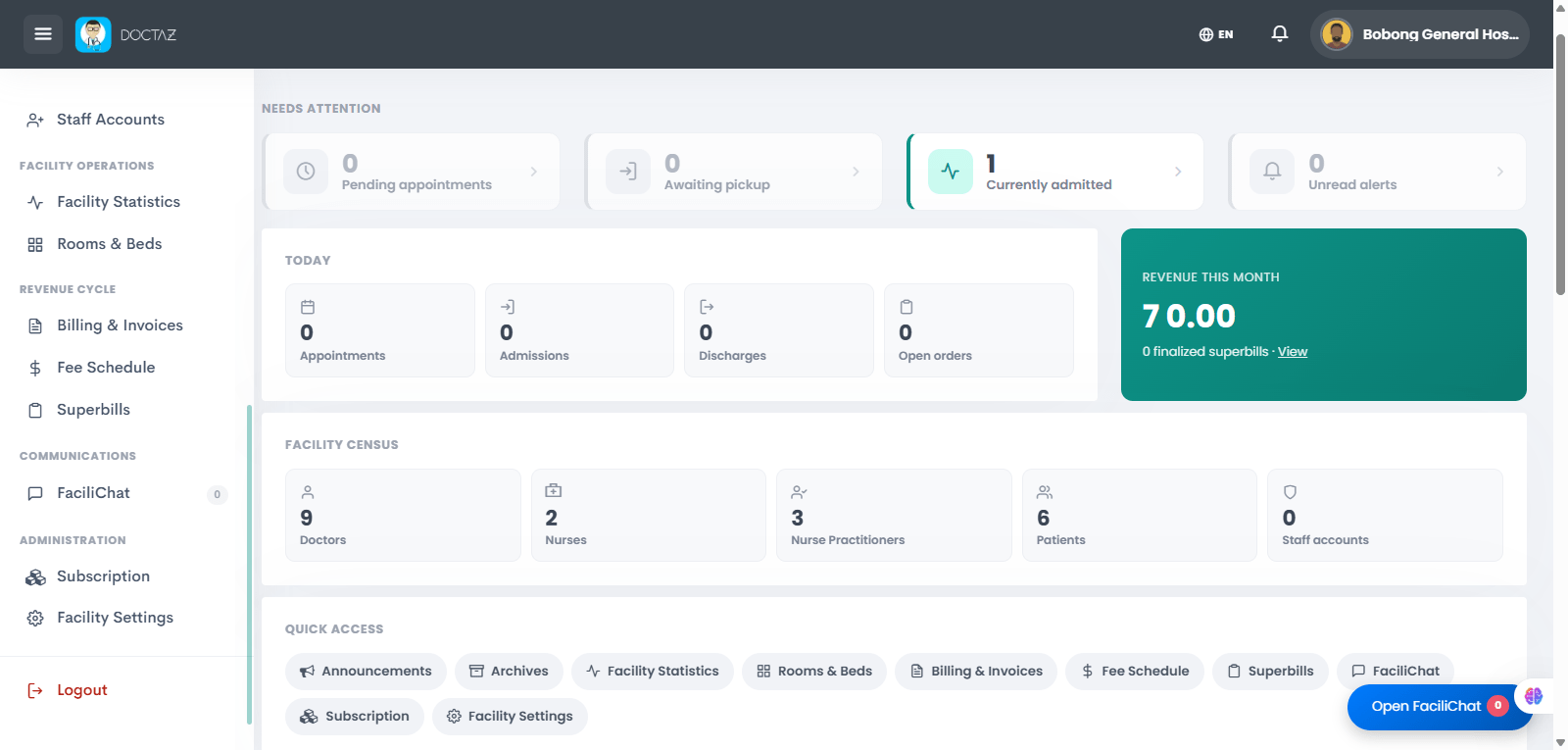
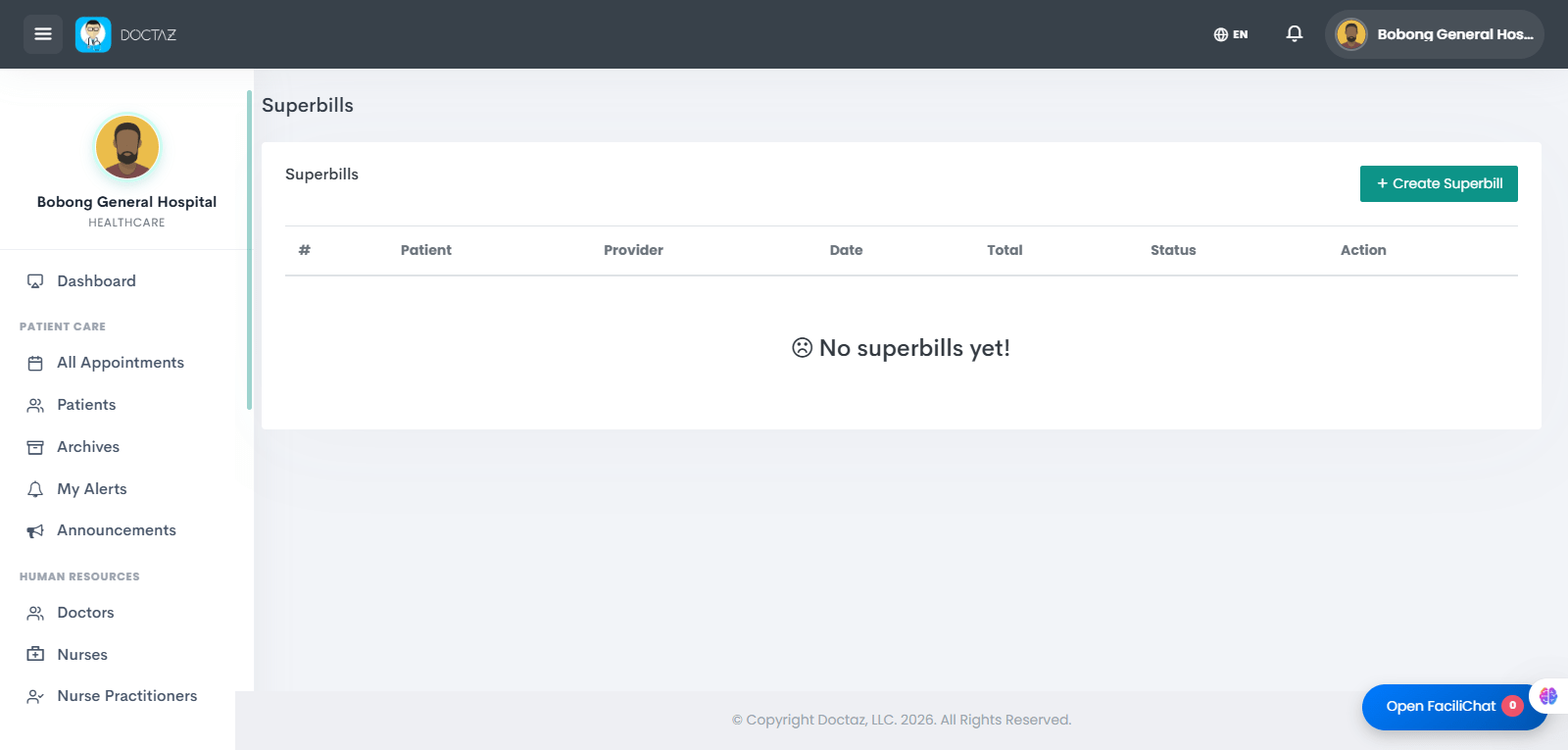
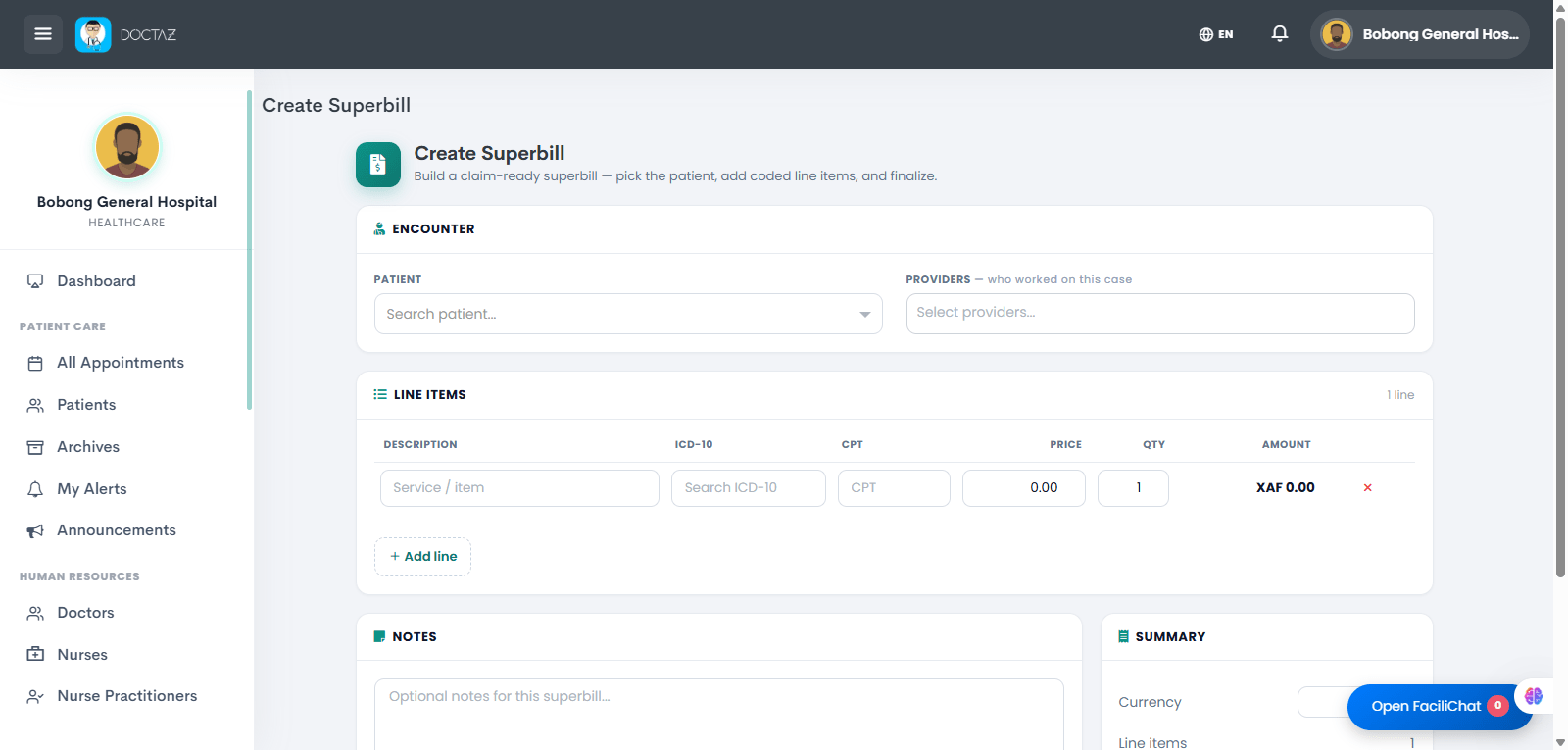
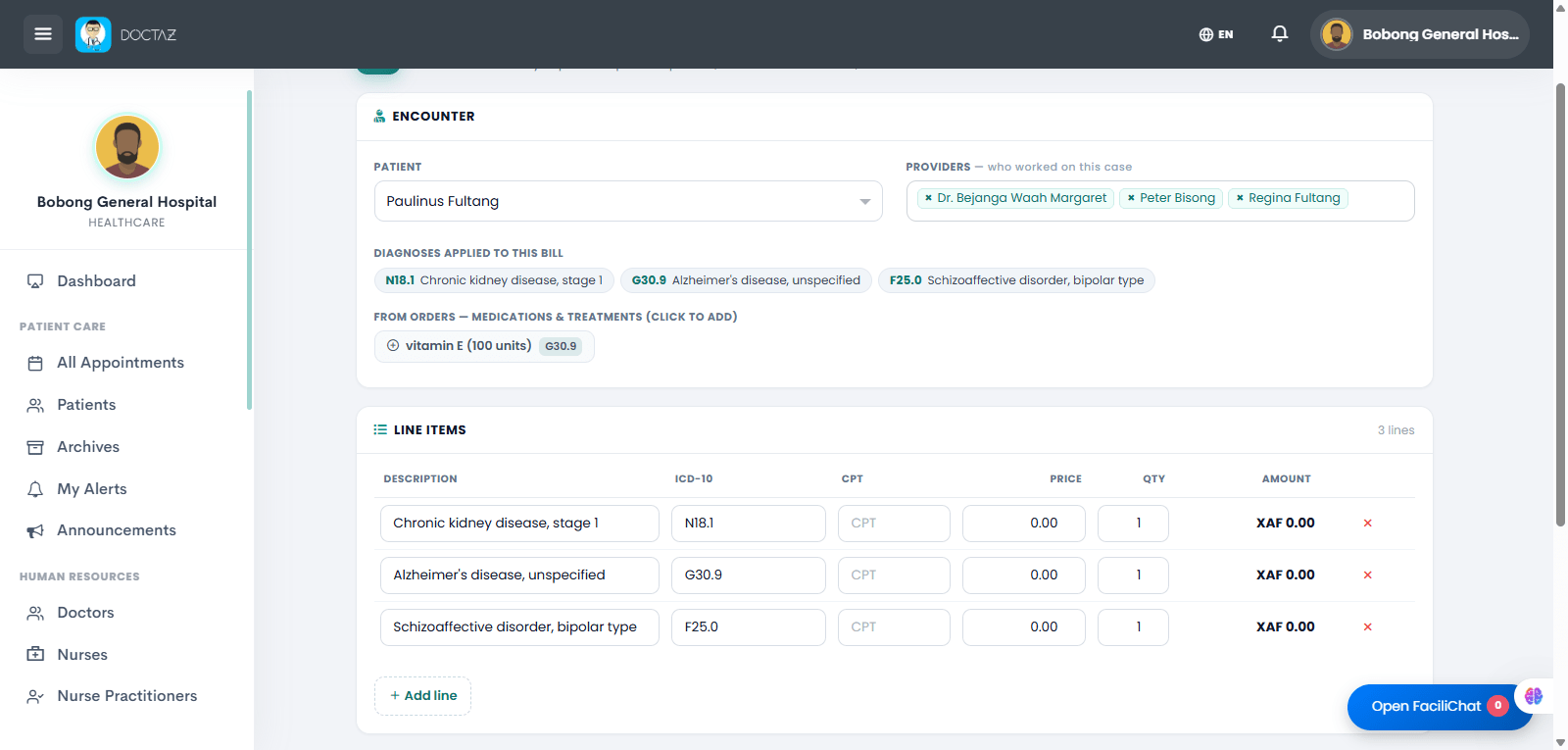
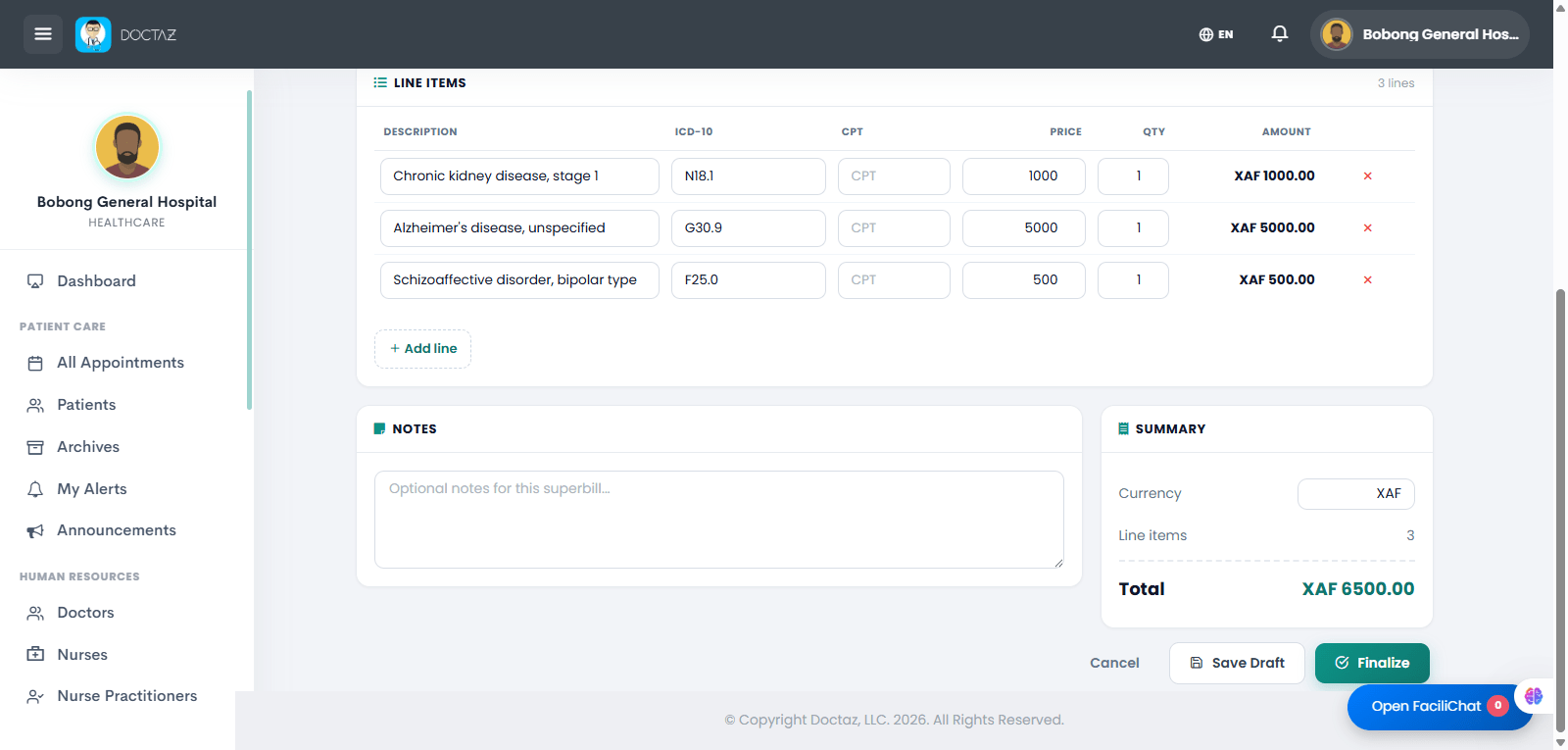
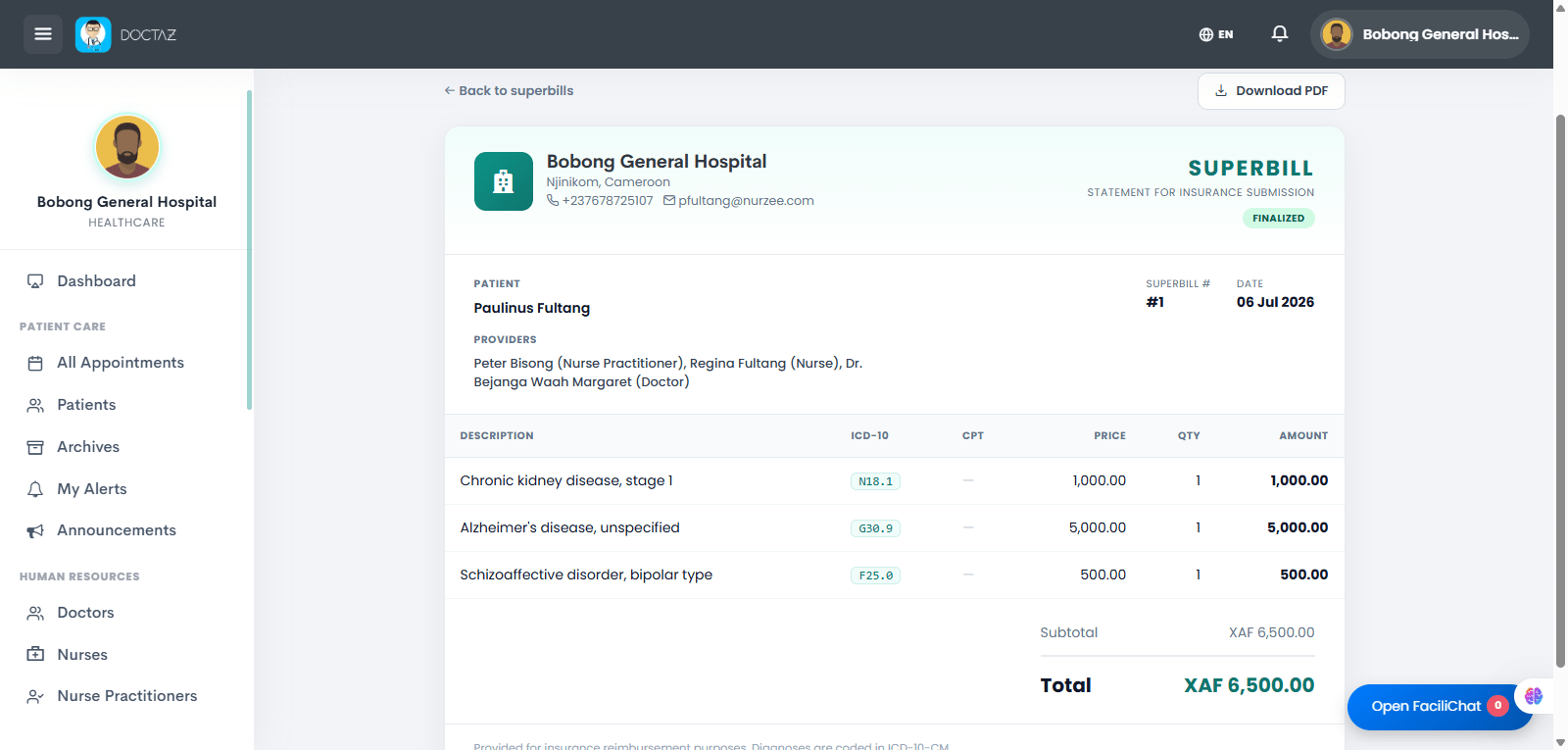
STEP 01 / 06Open Billing & SuperbillsFrom the Facility Dashboard, navigate to Billing & Invoices and select Superbills to manage patient billing records.STEP 02 / 06Create a New SuperbillClick Create Superbill to start a new billing record for a patient encounter.STEP 03 / 06Select the Patient and ServicesChoose the patient, assign the providers involved in the encounter, and begin adding billable diagnoses and services.STEP 04 / 06Review and Complete Line ItemsVerify diagnoses, enter prices and quantities for each service, and ensure all billable items are included.STEP 05 / 06Review the Summary and FinalizeConfirm the total charges, add optional notes, then save as a draft or finalize the superbill.STEP 06 / 06View and Download the SuperbillReview the completed superbill and download a PDF for insurance submission, payment processing, or record keeping.