Ancillary orders enable providers to request support services, such as physical therapy, respiratory therapy, or nutrition services. Once submitted, the order is available for the appropriate care team to review, complete, and document.
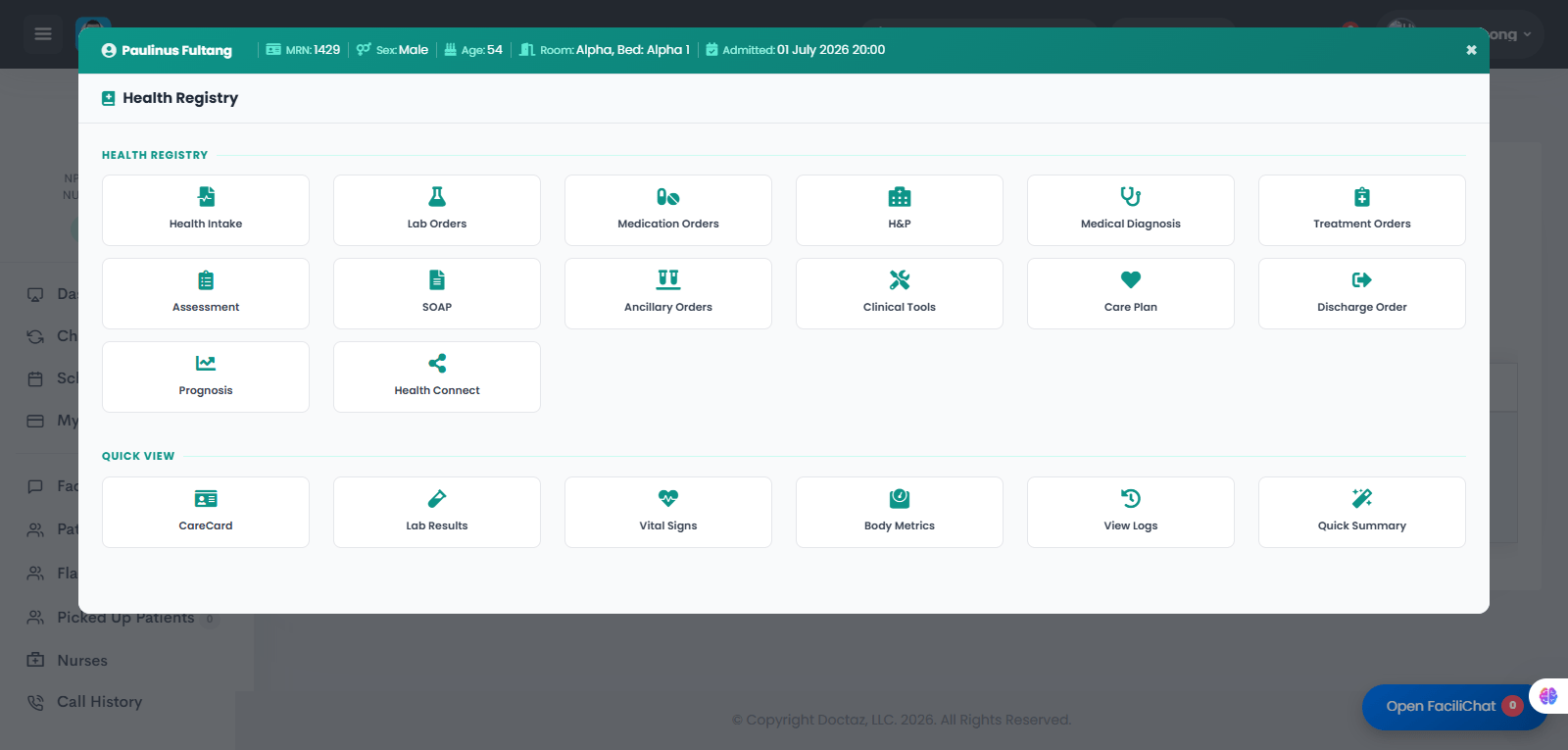
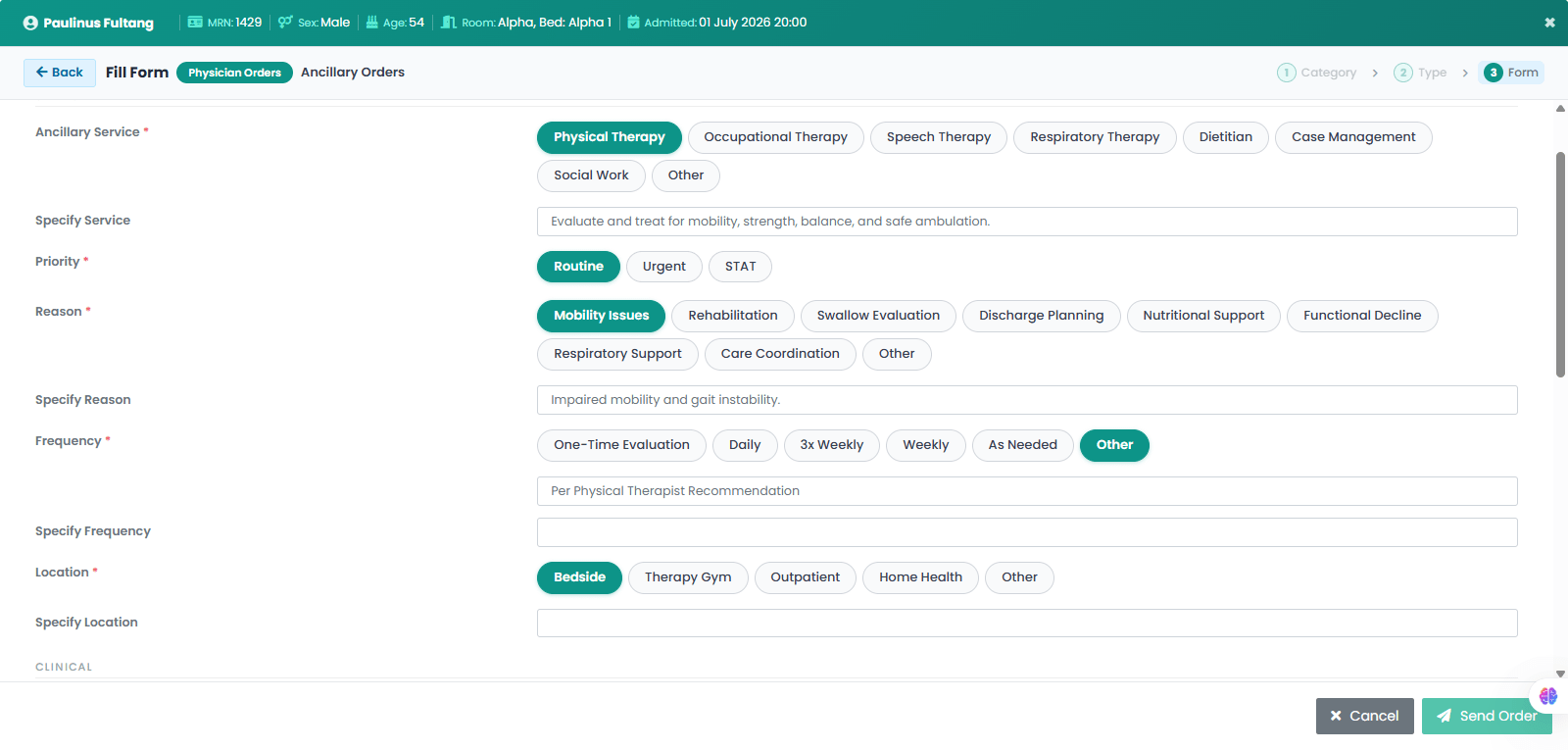
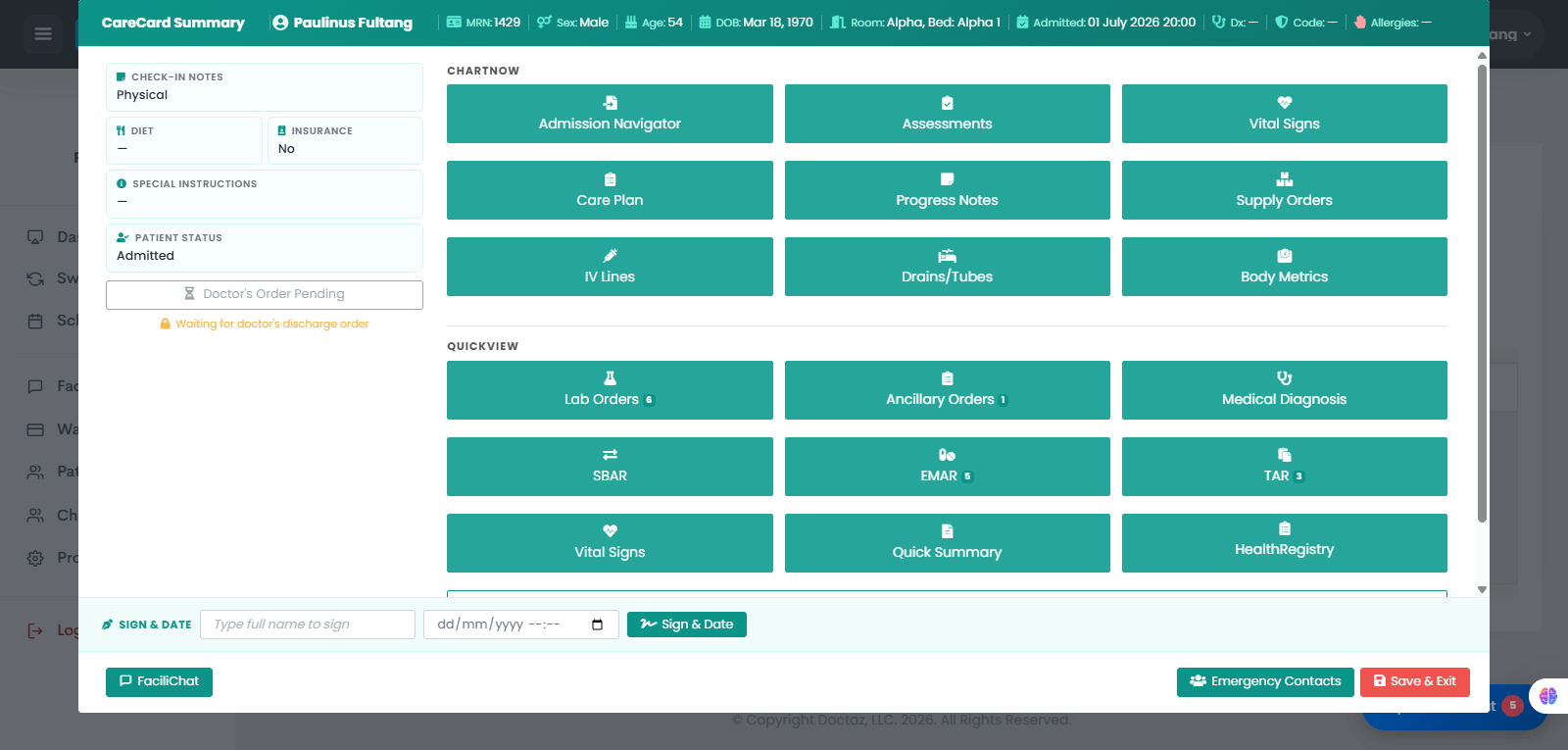
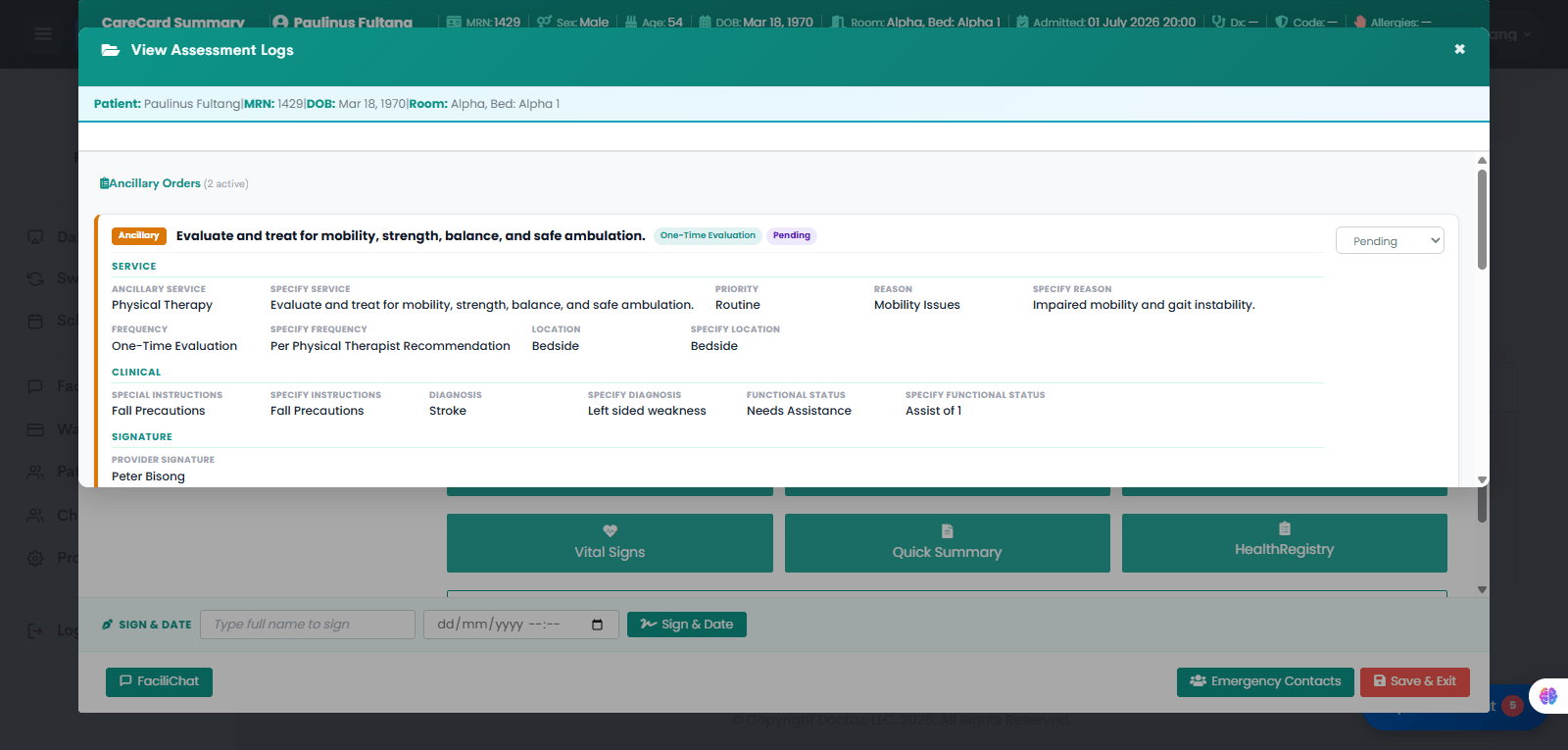
STEP 01 / 04Provider Opens Ancillary OrdersThe provider opens the patient’s Health Registry and selects Ancillary Orders.STEP 02 / 04Provider Creates the Ancillary OrderThe provider selects the ancillary service, such as Physical Therapy, enters the reason for the order, priority, frequency, location, clinical instructions, and sends the order.STEP 03 / 04Nurse Reviews Ancillary OrdersThe nurse opens the patient’s CareCard Summary and selects Ancillary Orders to view the pending order.STEP 04 / 04Ancillary Order Appears for Follow-UpThe order appears in the ancillary order log with the service, reason, priority, frequency, location, special instructions, diagnosis, functional status, and provider signature.