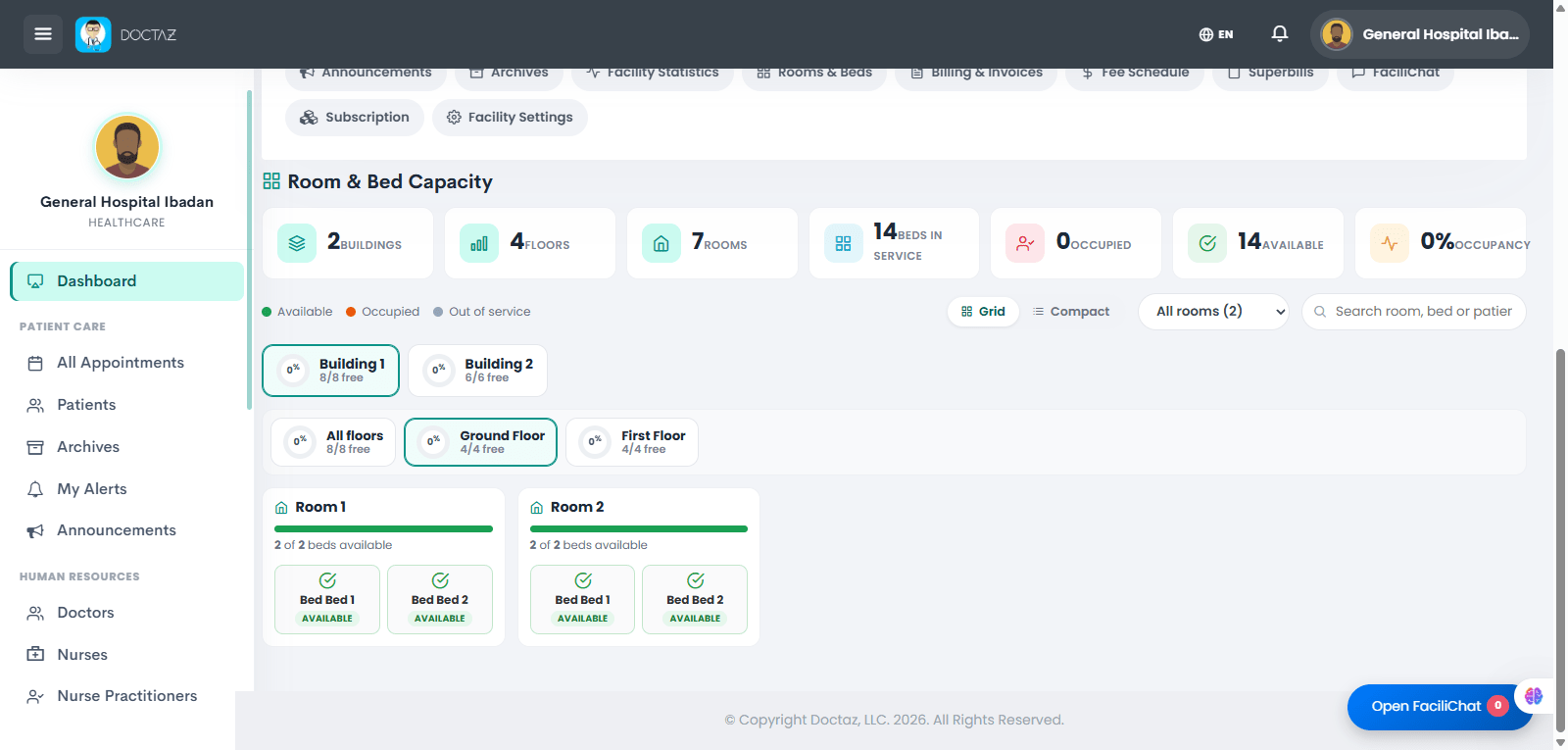
Configure your facility by creating buildings, floors, rooms, and beds. Once setup is complete, use the Room & Bed Capacity dashboard to monitor bed availability, occupancy, and capacity in real time for efficient patient placement and admissions.
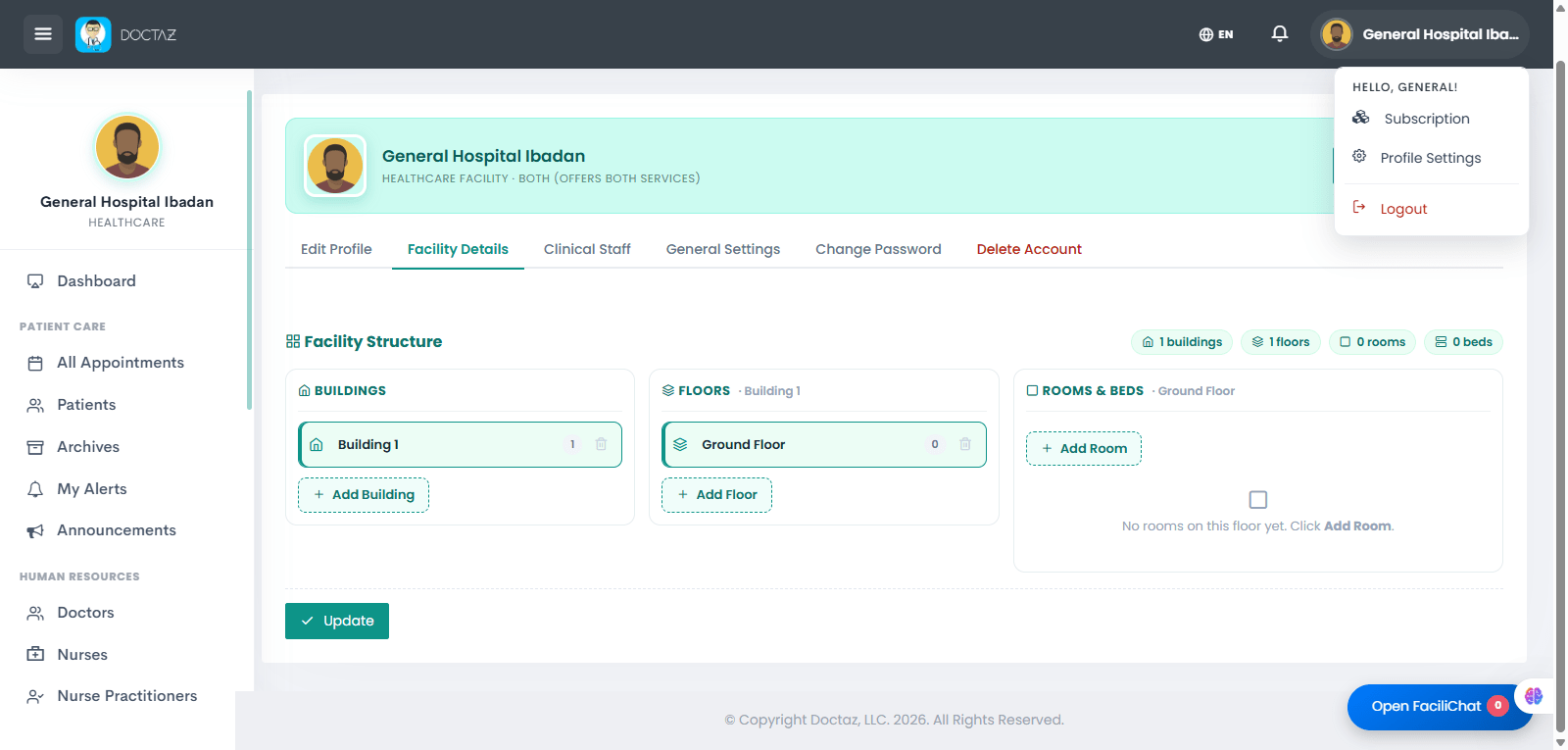
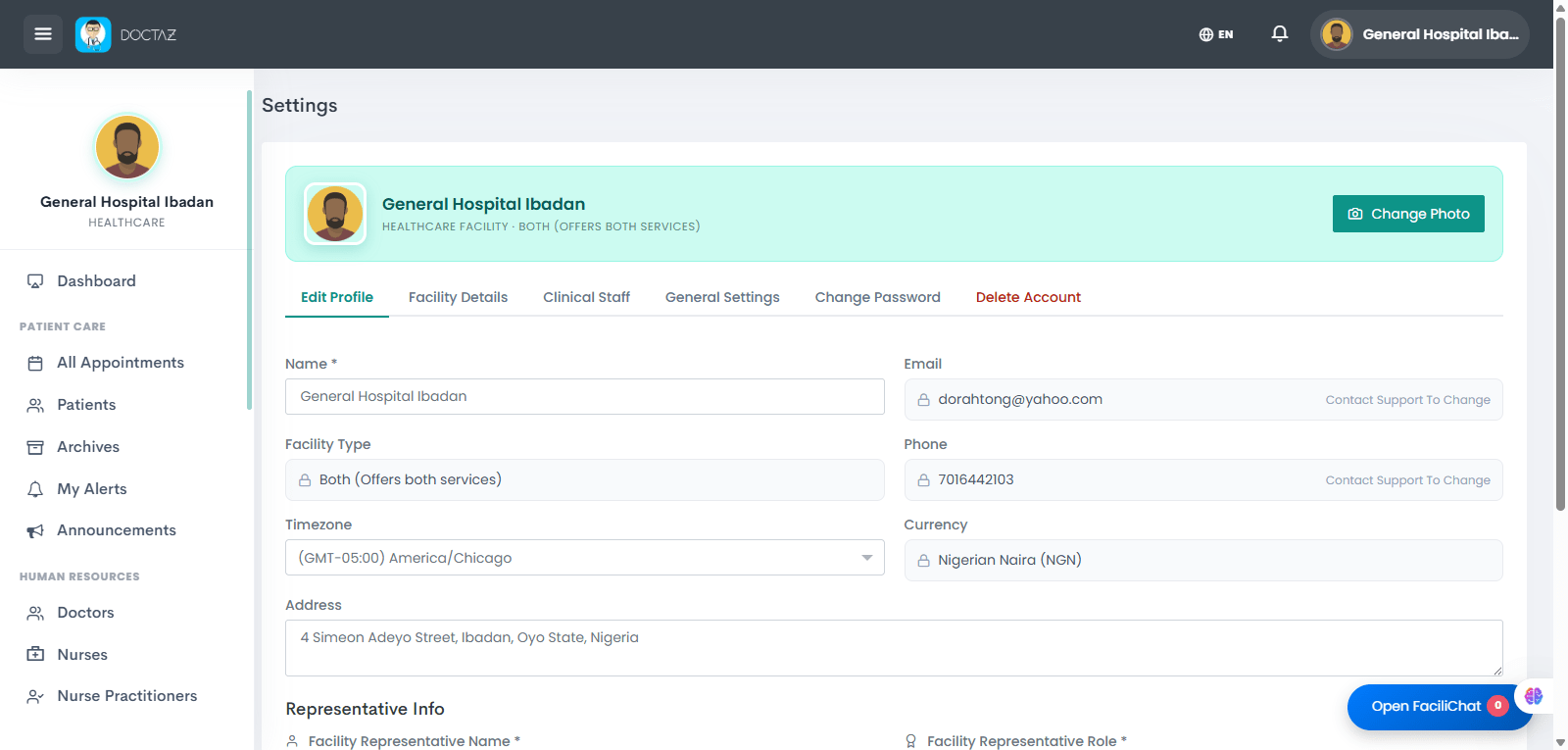
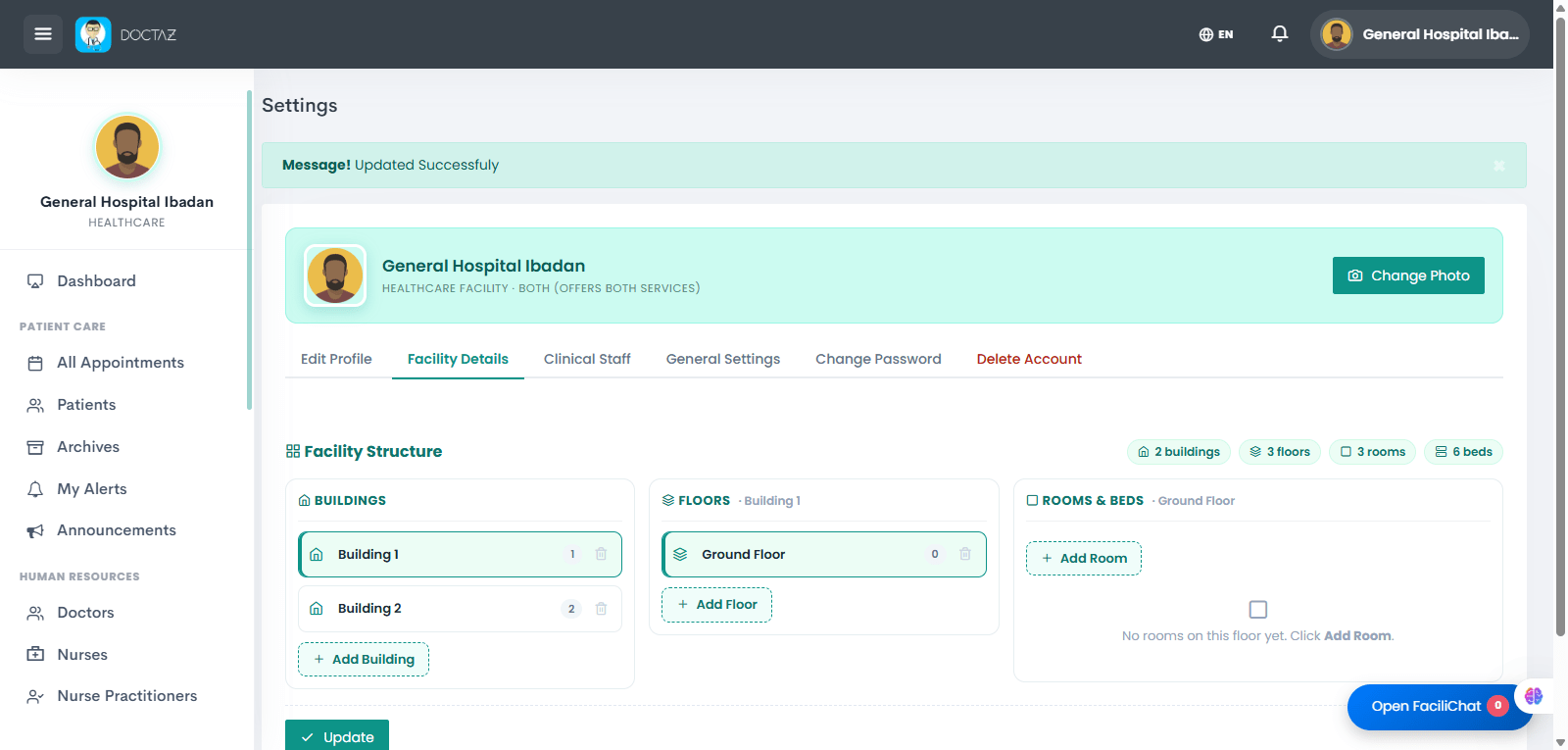
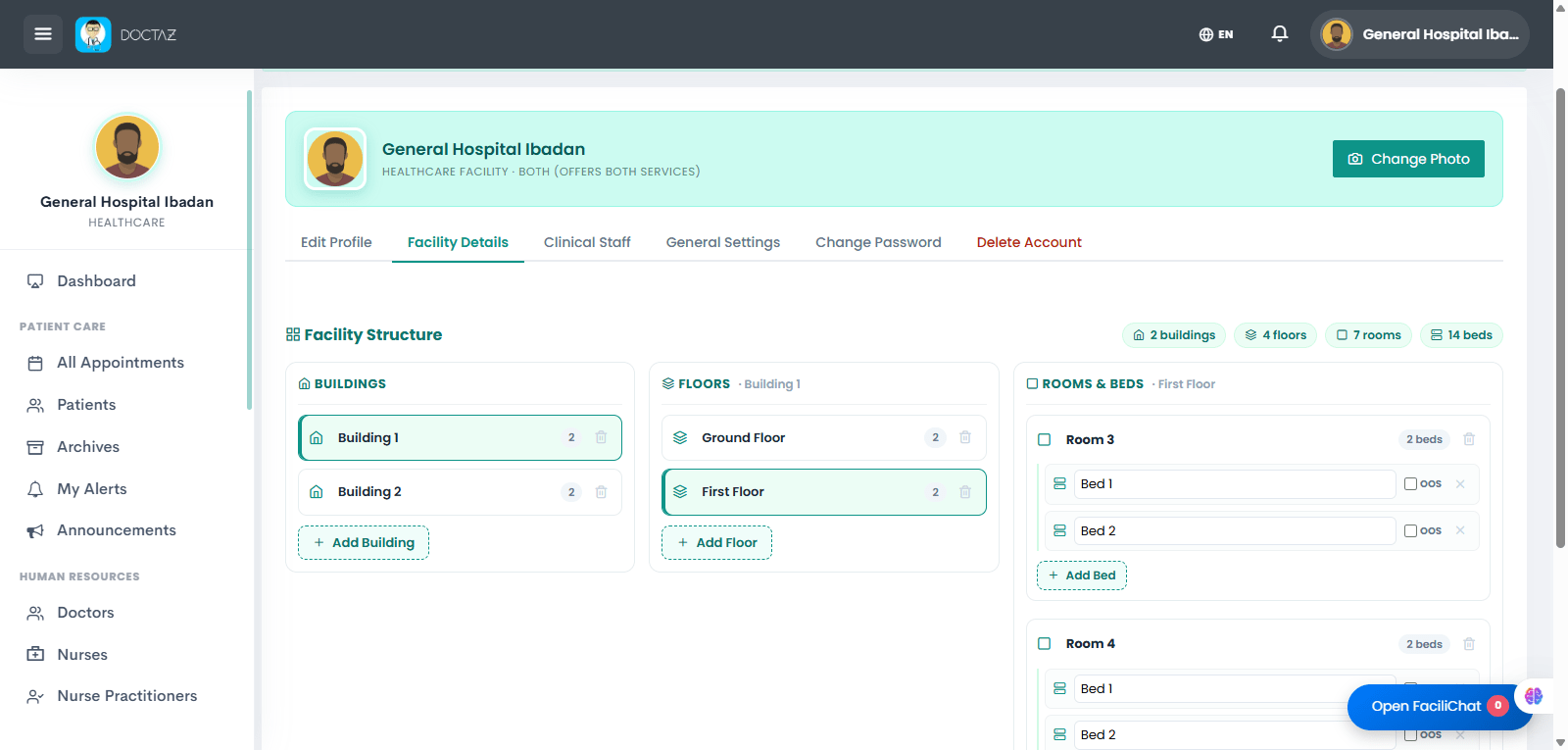
STEP 01 / 05Access Facility SettingsOpen Profile Settings and navigate to the Facility Details tab where the facility structure is managed.STEP 02 / 05Complete Facility ProfileEnter or update the facility's information, including name, address, contact details, timezone, and representative information.STEP 03 / 05Create Buildings and FloorsAdd buildings and create floors to establish the facility's physical structure.STEP 04 / 05Add Rooms and BedsCreate rooms on each floor and configure the beds available in every room.STEP 05 / 05Monitor Room & Bed CapacityView the Room & Bed Capacity dashboard to monitor buildings, floors, rooms, bed availability, occupancy, and capacity in real time.