Providers create medication orders linked to the patient’s diagnosis, and nurses review and document administration through the eMAR for safe medication tracking.
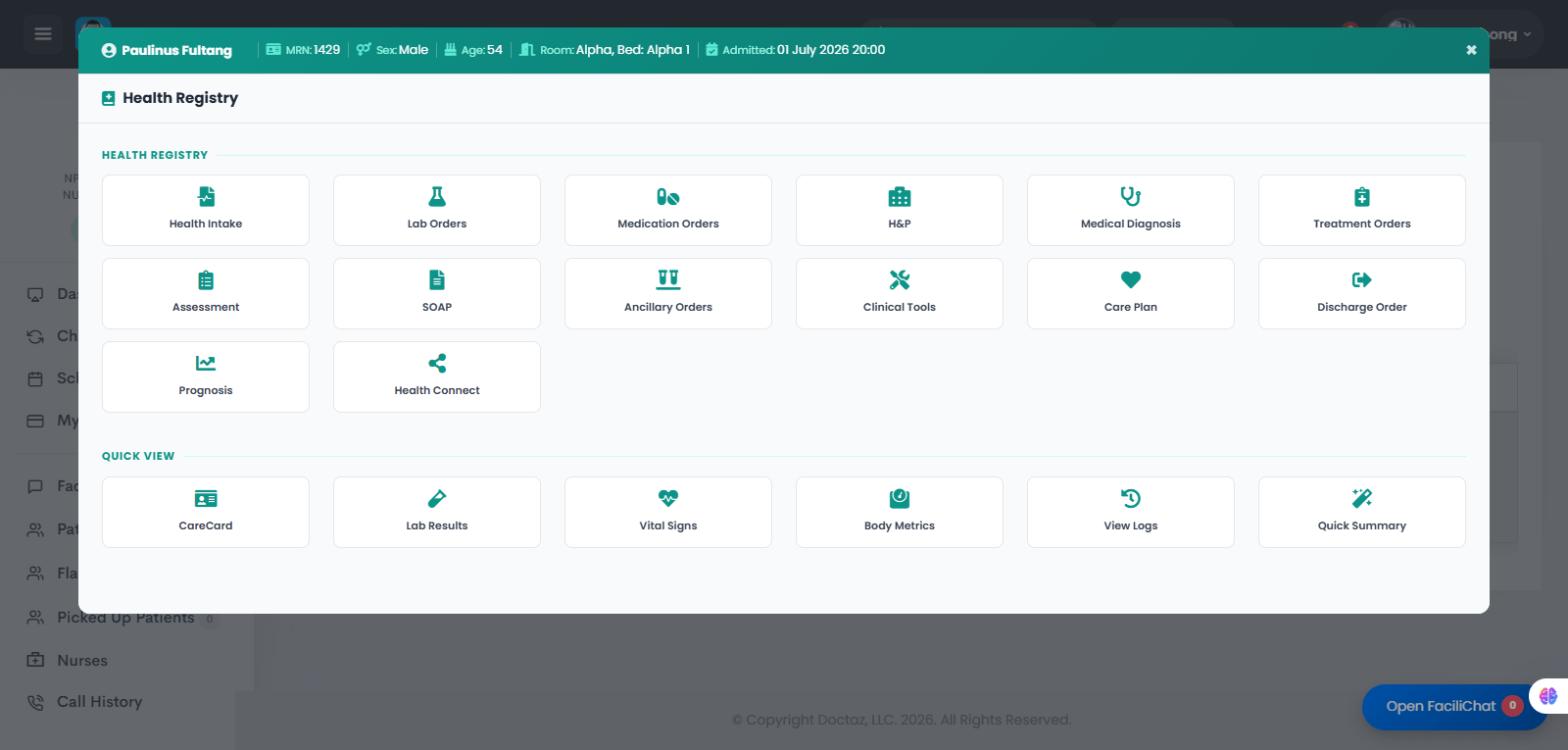
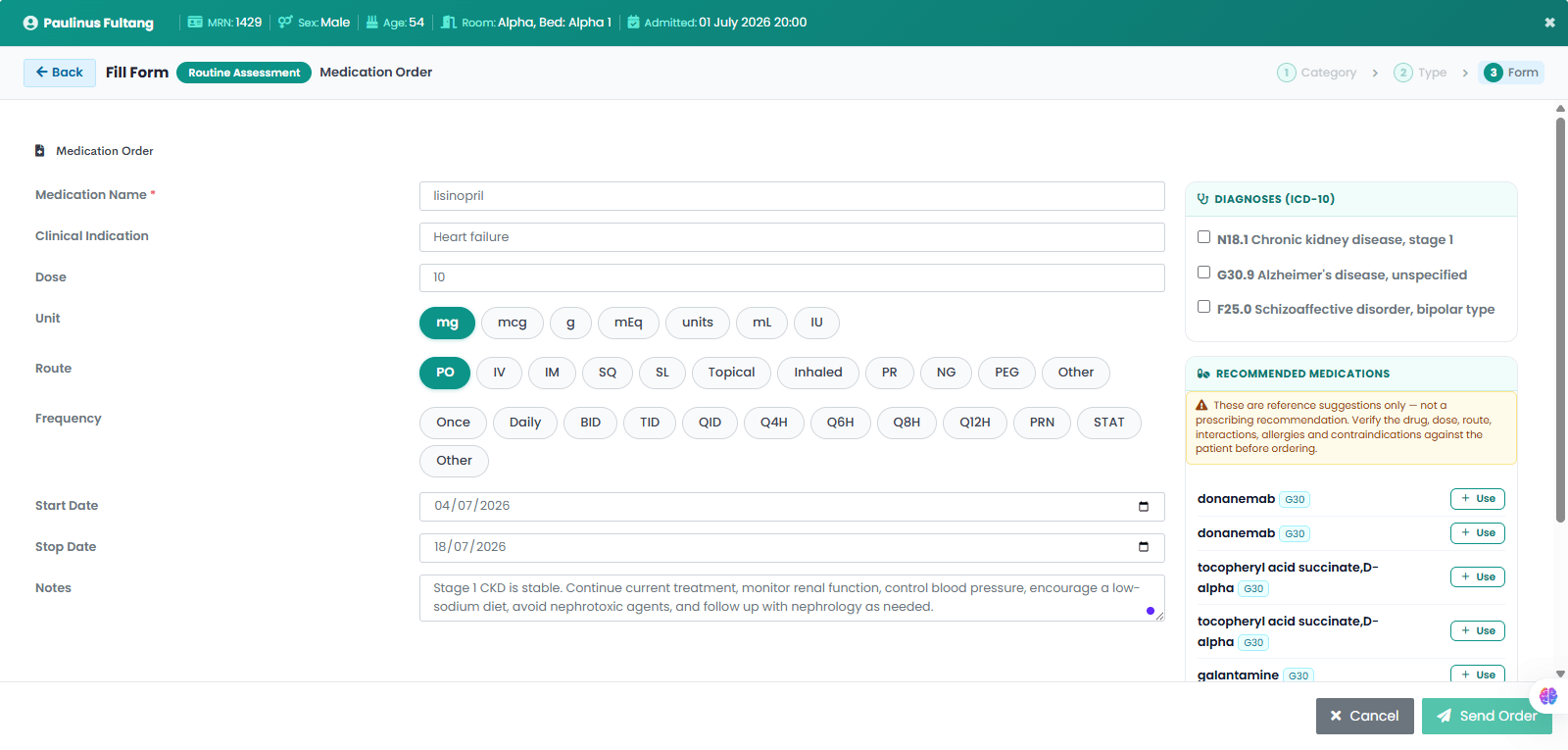
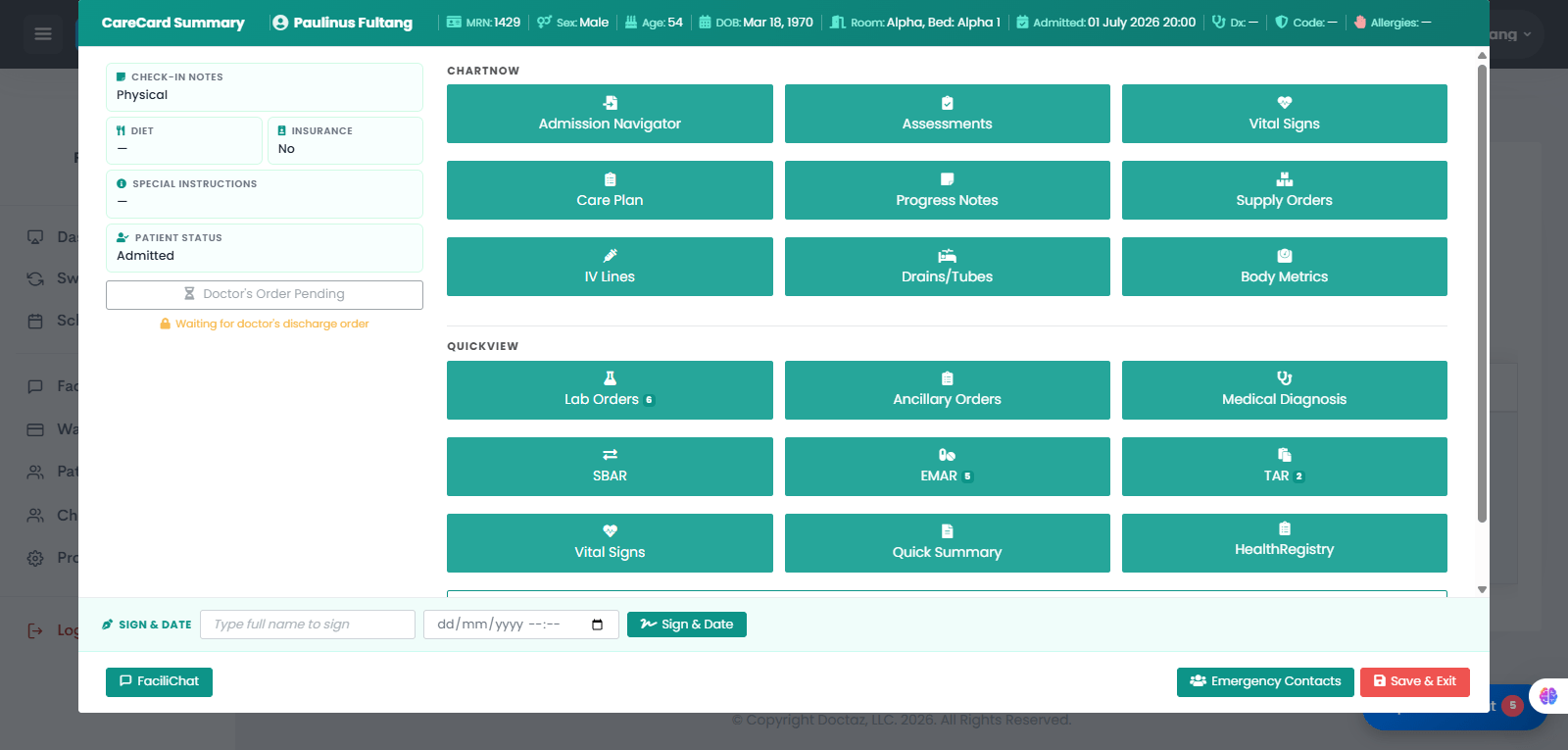
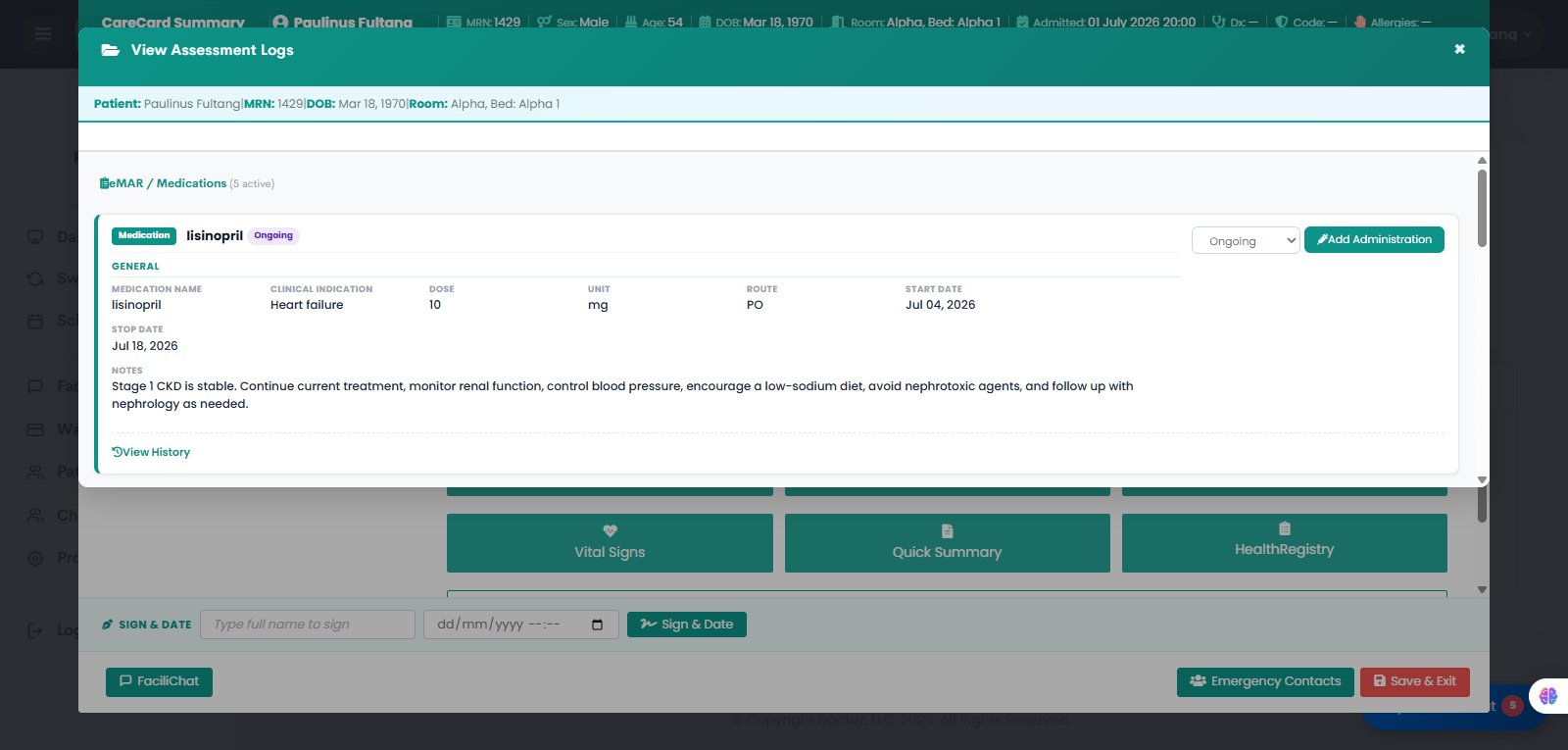
STEP 01 / 04Open Patient Health RegistryThe provider opens the patient's Health Registry and selects Medication Orders to prescribe a new medication.STEP 02 / 04Provider Creates and Sends Medication OrderThe provider enters the medication details, including the medication name, clinical indication, dose, unit, route, frequency, treatment duration, and clinical notes. The medication is linked to the appropriate ICD-10 diagnosis, then the provider clicks Send Order.STEP 03 / 04Nurse Reviews Medication Orders in eMARThe nurse opens the patient's CareCard Summary and selects eMAR to review active medication orders awaiting administration.STEP 04 / 04View Active Medication in eMARThe medication order is displayed in the Electronic Medication Administration Record (eMAR) with the medication name, clinical indication, dose, route, start and stop dates, and administration status. The nurse can review the medication history and click Add Administration to document medication administration.