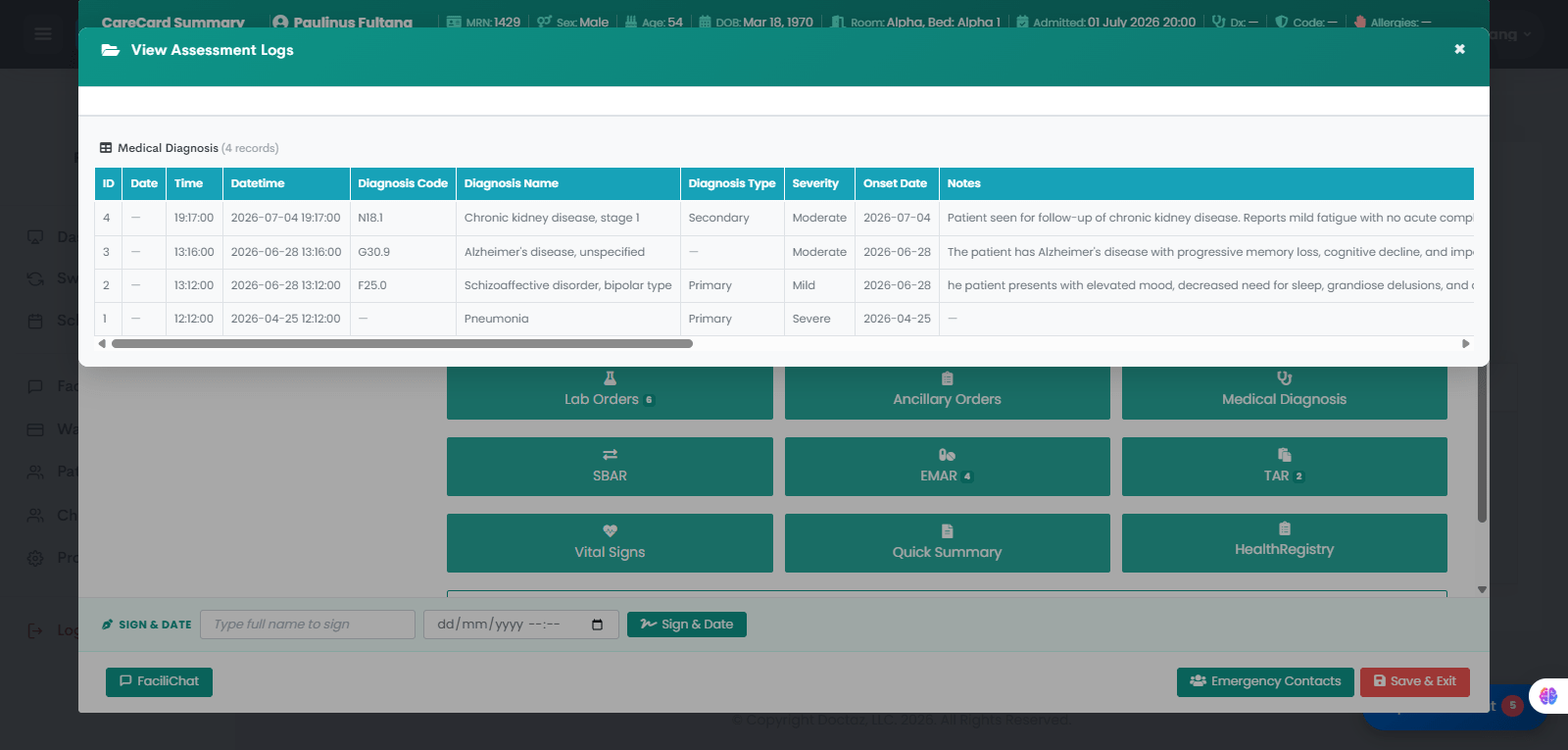
Providers document ICD-10-based medical diagnoses in the patient’s Health Registry, and nurses can review the diagnosis history from the CareCard for continuity of care.
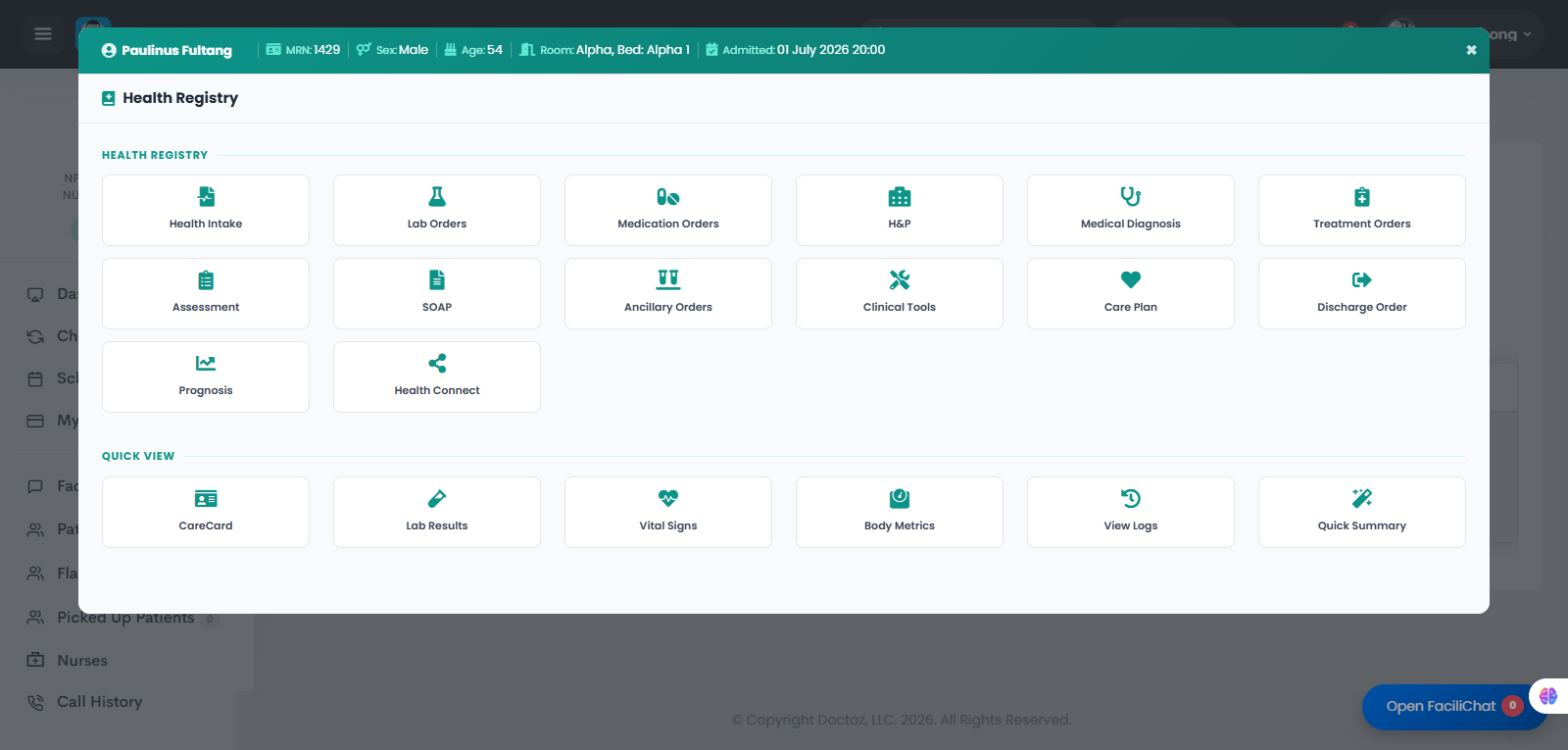
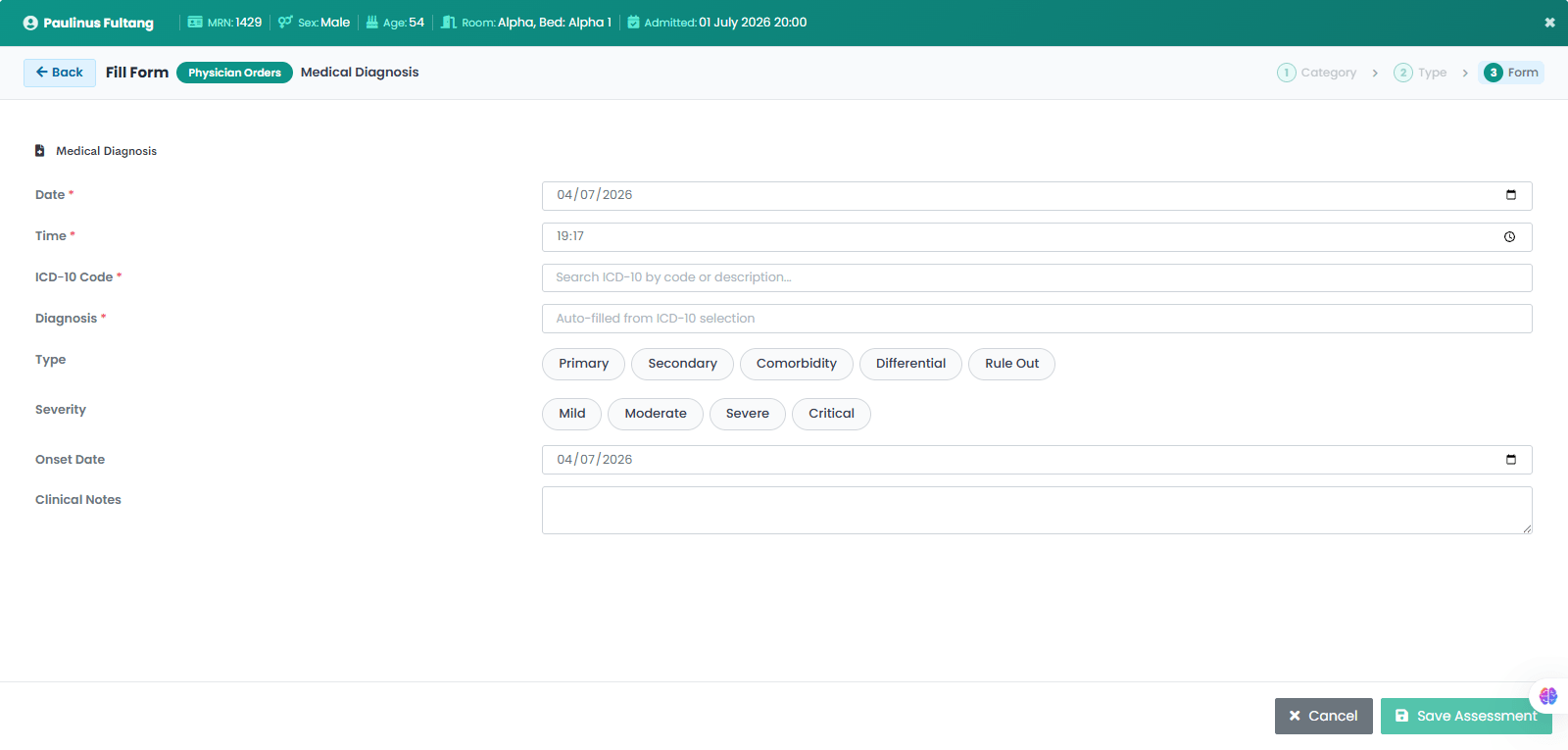
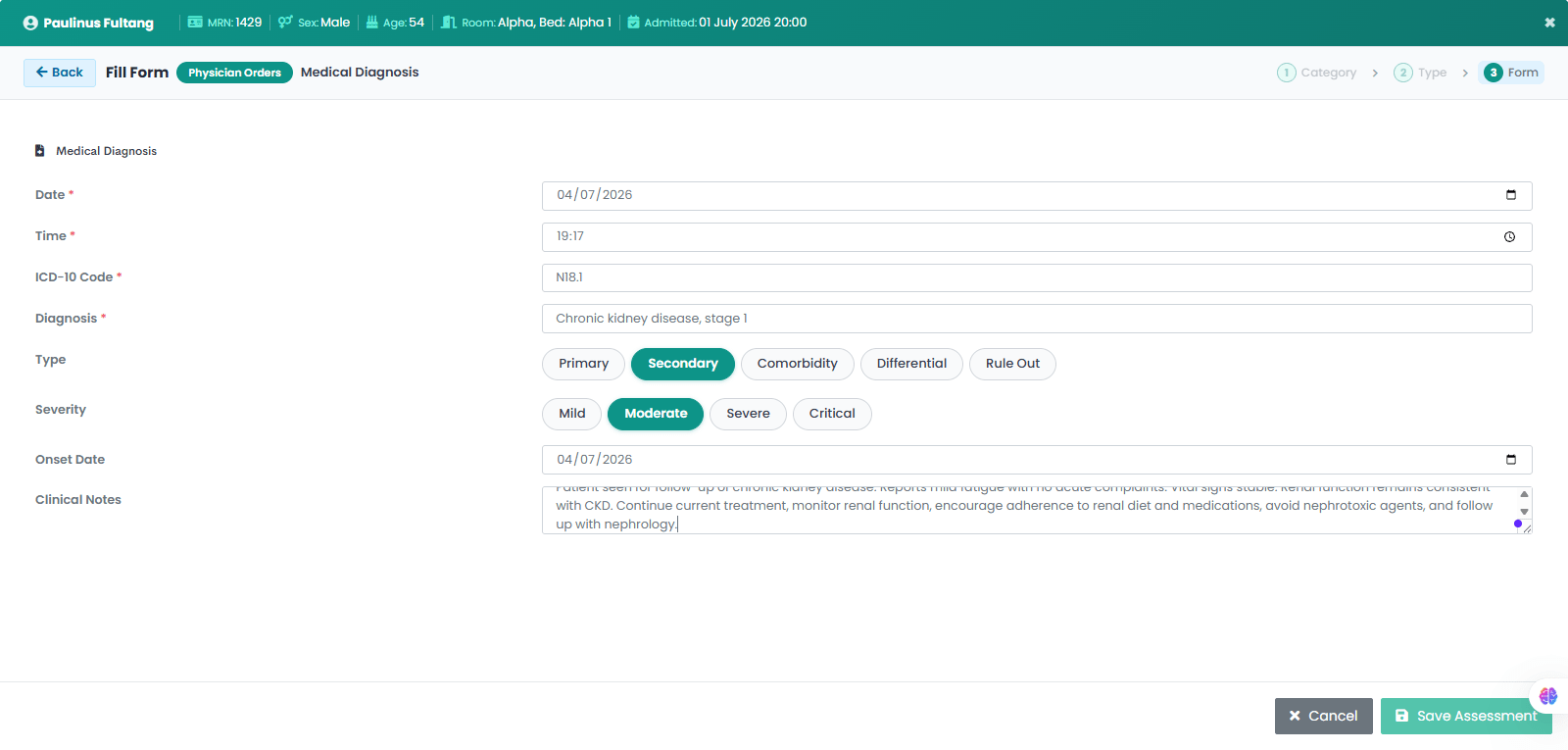
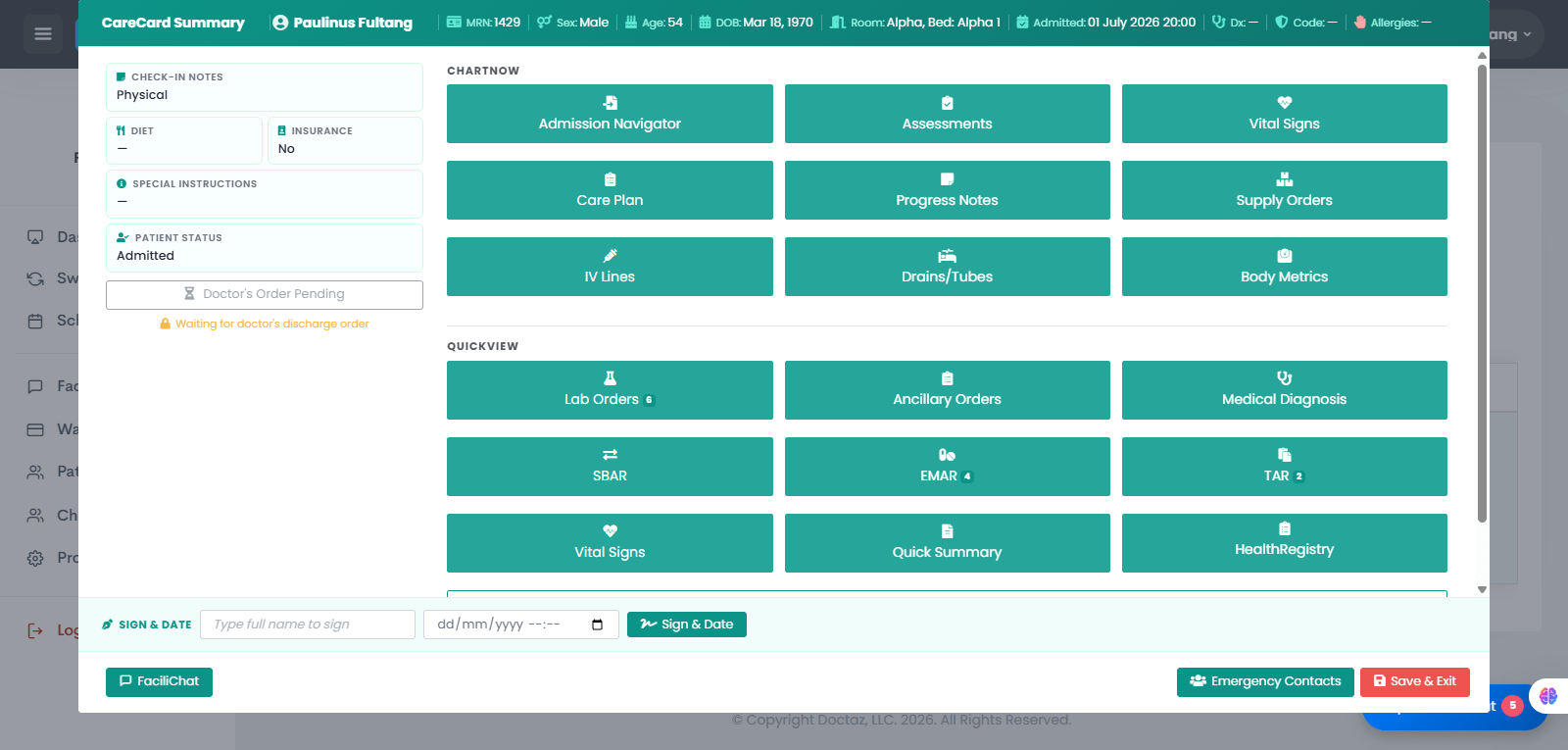
STEP 01 / 05Open Patient Health RegistryThe provider opens the patient’s Health Registry to access clinical tools and selects Medical Diagnosis.STEP 02 / 05Enter Diagnosis DetailsThe provider enters the diagnosis date, time, ICD-10 code, diagnosis name, diagnosis type, severity, onset date, and clinical notes.STEP 03 / 05Save the Medical DiagnosisAfter reviewing the diagnosis details, the provider saves the diagnosis so it becomes part of the patient’s medical record.STEP 04 / 05Nurse Opens CareCard SummaryThe nurse opens the patient’s CareCard Summary and selects Medical Diagnosis to review documented diagnoses.STEP 05 / 05View Diagnosis HistoryThe system displays the patient’s diagnosis history, including diagnosis code, diagnosis name, type, severity, onset date, and clinical notes.