Securely communicate with physicians and care team members to share patient updates, discuss care, and coordinate clinical decisions in real time.
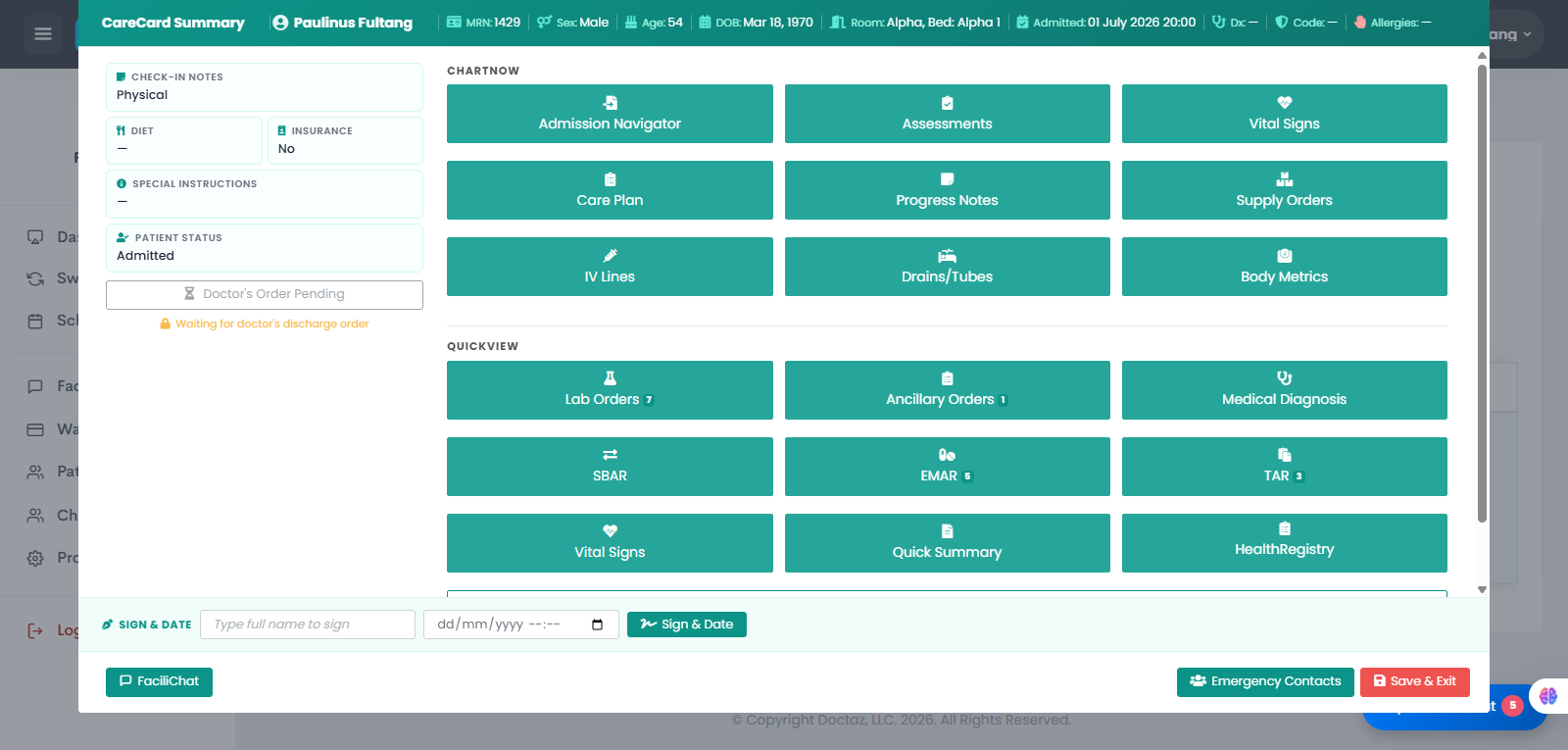
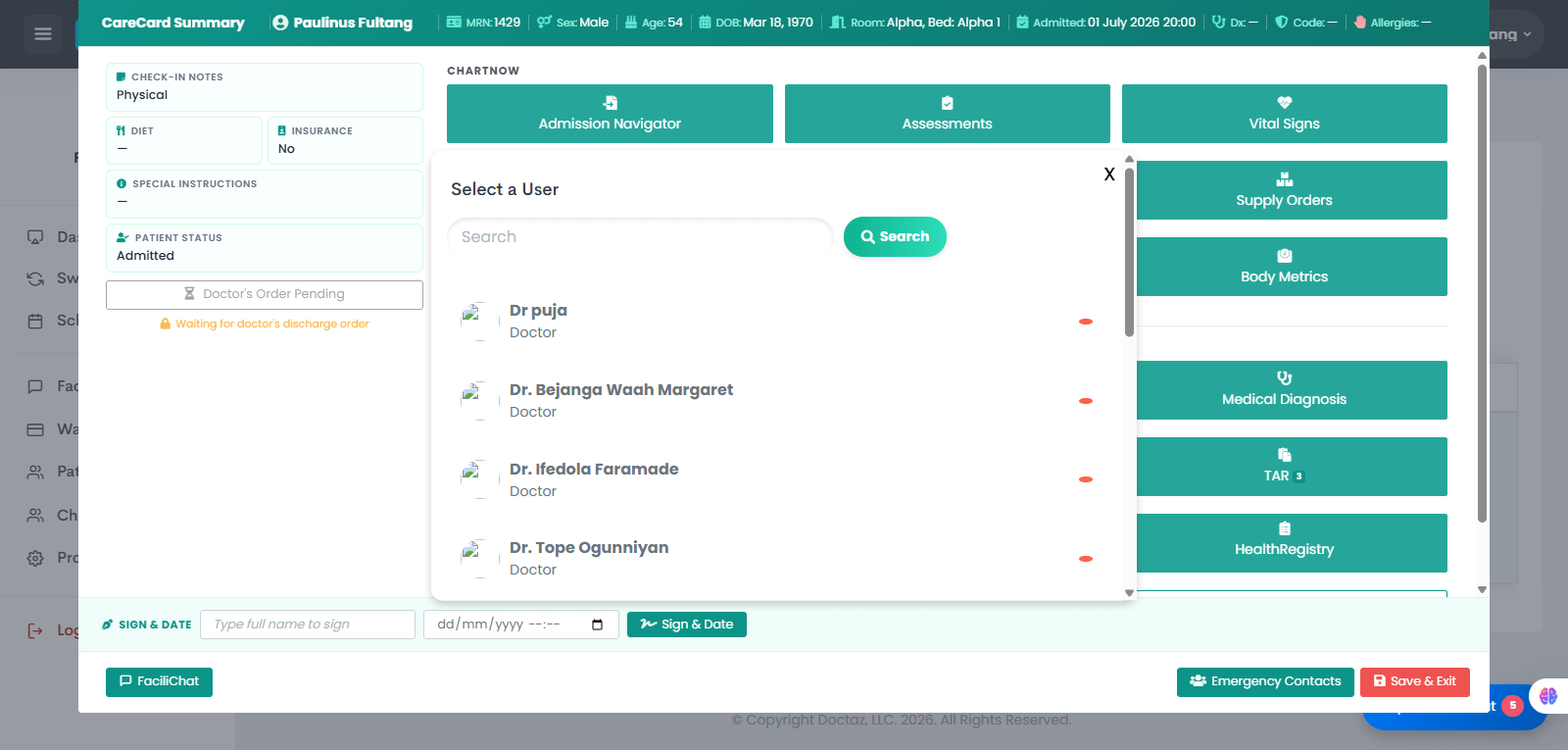
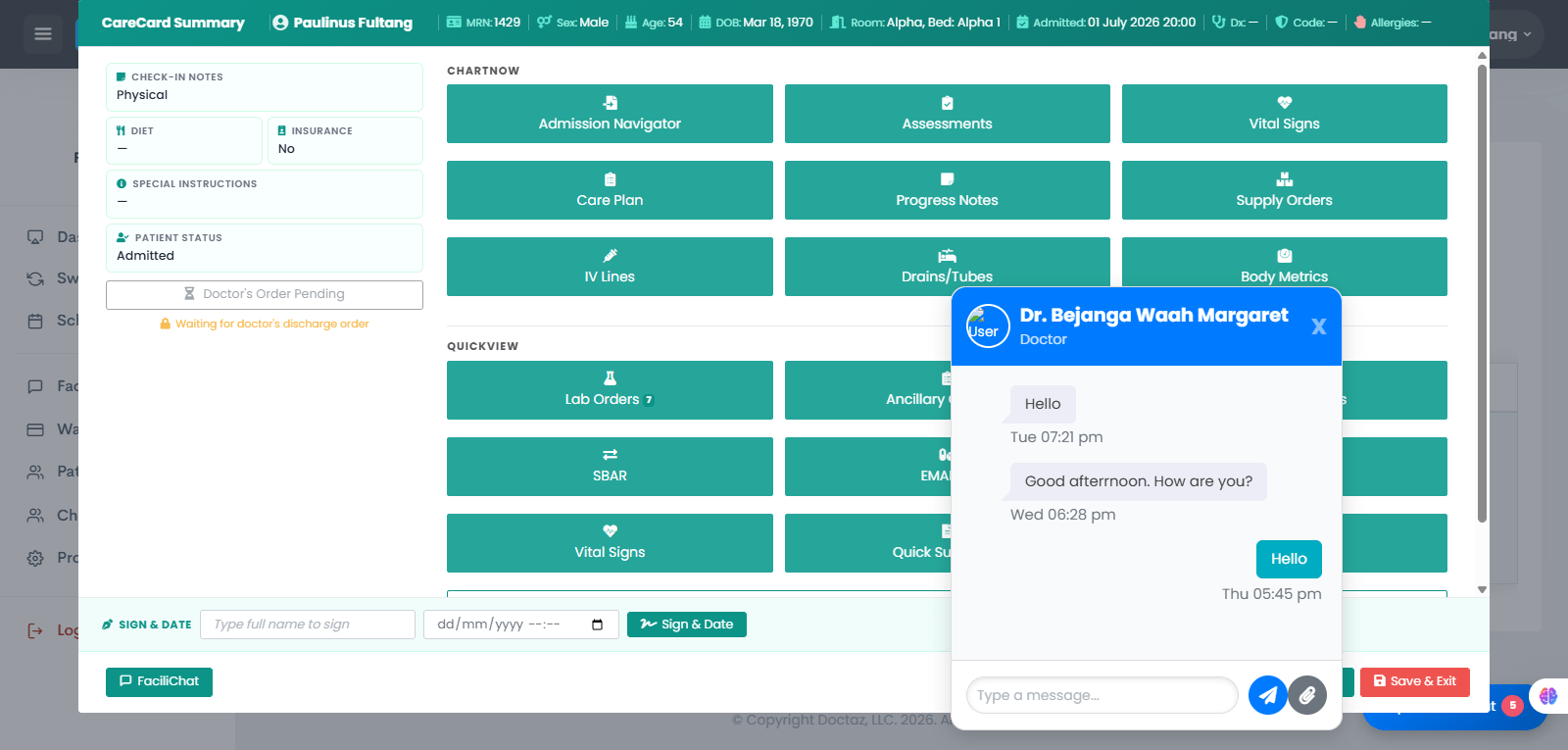
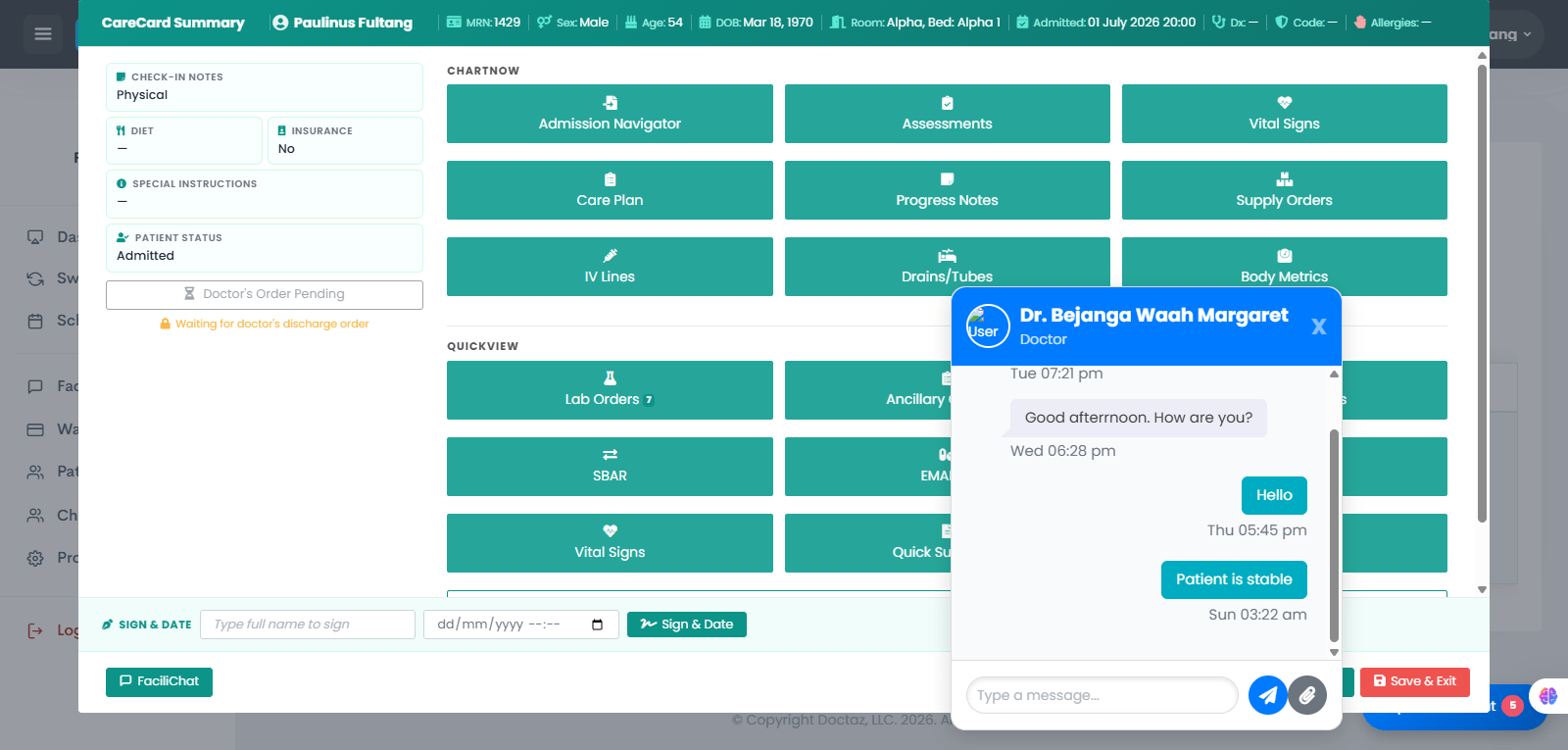
STEP 01 / 04Open CareCard or Health RegistryOpen the patient's CareCard or Health Registry and select FaciliChat to start a secure conversation.STEP 02 / 04Select a Care Team MemberSearch for and choose the physician or other authorized user you want to contact from the available user list.STEP 03 / 04View or Start ConversationThe chat window opens, displaying previous messages and allowing you to review the conversation history.STEP 04 / 04Send and Receive MessagesType and send patient updates or clinical questions. The recipient can review the message and reply in real time, keeping the care team informed and coordinated.